
Comparison
Scanner app privacy: what 12 apps' privacy labels say
On their US App Store privacy labels, read on November 13, 2026, TurboScan and Prizmo say Data Not Collected. Genius Scan and Microsoft OneDrive list no data used to track you. Seven others list some data used to track you, from Identifiers alone (Adobe Scan, Scanner Pro) to iScanner’s six categories including Location. Labels are filled in by developers and not verified by Apple, so also check where an app says your documents are stored: on the phone, or in its cloud.

We make Scanner One, one of the apps below. Every other app’s label was read from its own US App Store page on November 13, 2026. Scanner One’s row was read from our own App Store page the same day.
How to read a privacy label
Every App Store page has an App Privacy section. Apple’s support page explains the headings it can show:
- Data Used to Track You: data from the app that is linked with data about you from other companies’ apps, websites or offline properties, and used for ads or shared with a data broker.
- Data Linked to You: data collected in a way that is linked to your identity, such as your account, your device or your phone number.
- Data Not Linked to You: data the developer collects but strips of direct identifiers first.
- Data Not Collected: the developer says it collects no data from the app.
Three cautions from Apple’s own wording. The information is self-reported by the developer, and each App Store page says it has not been verified by Apple. Practices may vary with the features you use. And apps don’t need to declare data that only Apple collects, such as payment information for in-app purchases.
What 12 scanner apps declare
Read on November 13, 2026, from each app’s US App Store page.
| App | Data used to track you | Data linked to you | Data not linked to you |
|---|---|---|---|
| TurboScan (free and Pro) | Data Not Collected | Data Not Collected | Data Not Collected |
| Prizmo | Data Not Collected | Data Not Collected | Data Not Collected |
| Genius Scan | None | Contact Info, User Content | Usage Data, Diagnostics |
| Microsoft OneDrive | None | Contact Info, User Content, Identifiers, Usage Data, Diagnostics | Diagnostics |
| Scanner Pro | Identifiers | None | Identifiers, Usage Data, Diagnostics |
| Adobe Scan | Identifiers | Purchases, Contact Info, User Content, Search History, Identifiers, Usage Data, Diagnostics | None |
| vFlat Scan | Identifiers, Usage Data | None | Identifiers, Usage Data, Diagnostics |
| CamScanner | Identifiers, Usage Data | None | Contact Info, User Content, Identifiers, Usage Data, Diagnostics |
| Tiny Scanner | Usage Data | Purchases, Contact Info, Identifiers, Usage Data | User Content, Identifiers, Usage Data, Diagnostics |
| SwiftScan AI | Contact Info, Identifiers, Usage Data | Purchases, Contact Info, Identifiers, Usage Data | Usage Data, Diagnostics |
| iScanner | Purchases, Location, Identifiers, Usage Data, Diagnostics, Other Data | Purchases, Location, User Content, Identifiers, Usage Data, Diagnostics, Other Data | None |
| Scanner One (ours) | None | Purchases, User Content, Identifiers | None |
Scanner One’s row, in full: Scanner One’s App Store privacy label lists no data used to track you. The data linked to you, for app functionality only: purchase history, photos or videos and other content you add, a user ID and a device ID.
The same apps’ prices, versions and free limits are in our scanner app audit.
Beyond the label: where your documents are kept
A label covers what the developer collects. It doesn’t tell you where your scans live. For a document scanner that matters as much, so here is what each developer says, where it says it:
| App | Where documents go, per the developer |
|---|---|
| Microsoft OneDrive | Scans are saved to OneDrive; Microsoft says OneDrive does not save scans locally on your device |
| Adobe Scan | Scans are automatically saved to Adobe Document Cloud |
| iScanner | Files sync through AWS cloud storage and can be managed in a browser |
| Genius Scan | Processed and stored on your phone unless you decide to export them |
| TurboScan | All scanning happens on your iPhone; no data collected |
| SwiftScan AI | The developer says it never stores or saves your documents |
| Prizmo | The developer says it doesn’t access, read or host your data on its servers |
| Scanner One (ours) | Documents stay on your iPhone unless you share them or turn on iCloud Sync. |
Cloud storage is not bad in itself: it is how you get your scans on a computer, or back after losing a phone. The point is to choose it knowingly. If you scan passports, medical records or tax papers, read whether it is safe to upload documents to AI and on-device vs cloud AI.
Pick this if
- You want the shortest label: TurboScan or Prizmo, both Data Not Collected.
- You want nothing used to track you and free scanning: Genius Scan, whose label lists no tracking and whose Basic plan is free.
- You want your scans in the cloud on purpose: OneDrive or Adobe Scan, knowing that is where they go.
- You want nothing to install: Apple’s Notes, Files and Preview are part of iOS. Apple publishes the labels of its own apps on its privacy labels page.
Where Scanner One helps, and where it doesn’t
Scanner One needs no account and does no tracking. Scanner One’s privacy manifest declares no tracking. Documents stay on your iPhone unless you share them or turn on iCloud Sync. Cloud AI is off until you switch it on, and page images are a separate permission. You can lock the app with Face ID.
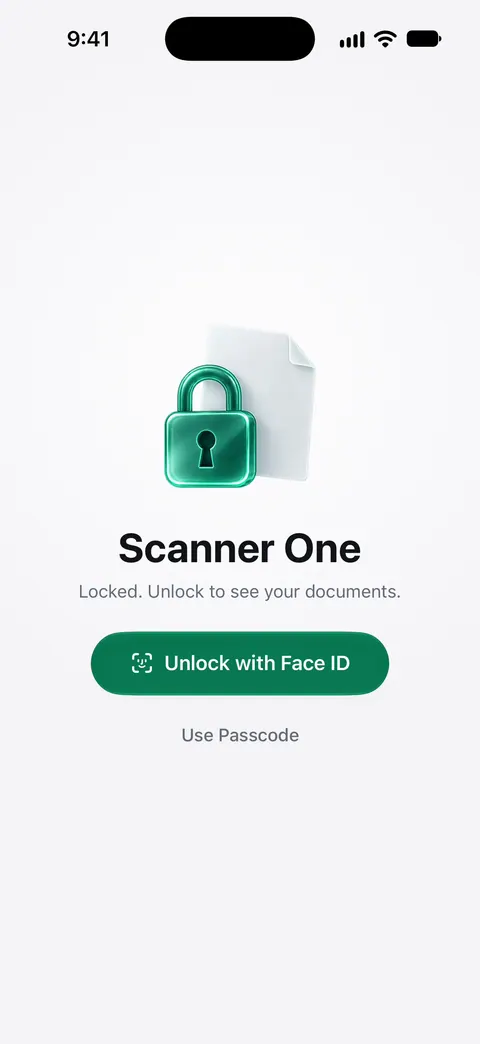
What it doesn’t change: once you share a document, it goes where you send it. On a free account, pages you share, print or export carry a small “Scanned with Scanner One” label at the bottom right. Pro removes it. Cloud AI and iCloud Sync are choices you make, not defaults, as the facts above say. And like every label above, ours is self-reported. Our privacy page explains what the app does with each permission.
Questions and answers
Where do I find an app’s privacy label?
On the app’s App Store page, scroll to the App Privacy section. It shows up to four headings: Data Used to Track You, Data Linked to You, Data Not Linked to You, or Data Not Collected, with the types of data under each.
Does 'Data Not Collected' mean my documents never leave my phone?
It means the developer says it collects no data from the app. If you share a scan by email or save it to a cloud drive, that is you sending it, and the service you send it to has its own rules.
What does 'Data Used to Track You' mean?
Apple defines it as data from the app that is linked with data about you from other companies' apps, websites or offline properties, and used for ads or shared with a data broker.
Are privacy labels checked by Apple?
No. Each App Store page says the developer indicated the app’s privacy practices and that this information has not been verified by Apple. Apple’s support page calls it self-reported.
Sources
What this page says about Scanner One was checked against the app on .
- Apple Support, About privacy information on the App Store and the choices you have to control your data — what Data Linked to You and Data Used to Track You mean, and that the information is self-reported by developers; page published 2024-09-16
- The US App Store pages of the 12 apps in the table — each app’s App Privacy section (this link is one of them; each row in our competitor facts files names its own page); read 2026-11-13
- Microsoft Support, Retirement of Microsoft Lens — OneDrive does not save scans locally on your device; no date on the page
- The Grizzly Labs, Genius Scan pricing — documents are processed and stored on your phone unless you export them; read 2026-11-13
- Scanner One on the App Store — the app’s own listing
Get Scanner One
Scanner One is free, with generous limits: scanning, clean PDFs and text search never stop.

Scanner OneScan, sign and ask anything
Scanner One is free, with generous limits: scanning, clean PDFs and text search never stop.