
Feature
Scanner One and your privacy: where documents live and what is sent
Documents stay on your iPhone unless you share them or turn on iCloud Sync. Text recognition runs on the device, in 29 languages. Cloud AI is off until you switch it on, and page images are a separate permission. Scanner One needs no account and does no tracking. You can lock the app with Face ID.

Where your documents live
Documents stay on your iPhone unless you share them or turn on iCloud Sync.
That is the default, and it covers the whole job of turning paper into a document: Text recognition runs on the device, in 29 languages. So scanning a page, reading its text and making it searchable happen on the device.
Two things can change where a document is, and both are your choice: sharing it, and iCloud Sync.
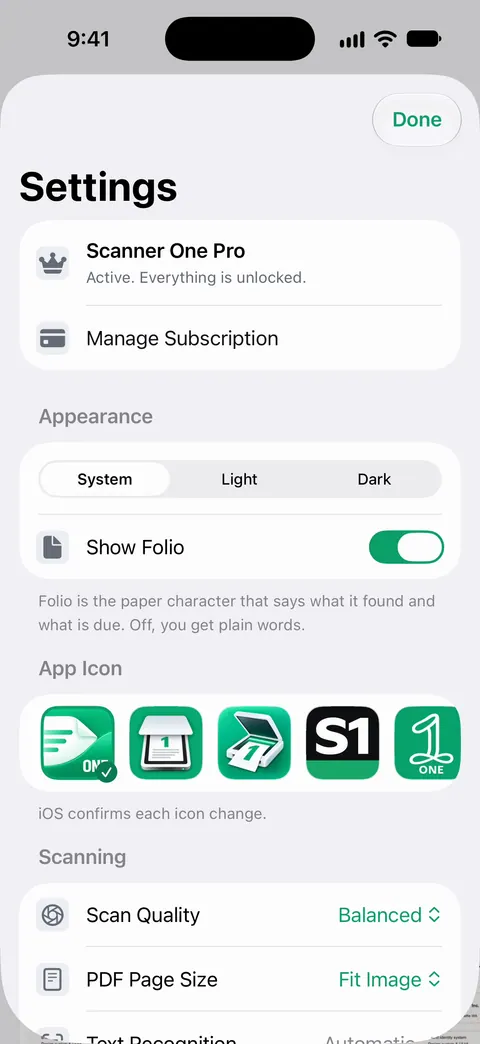
What can leave your iPhone, and when
| What | When it leaves | Who decides |
|---|---|---|
| A document you share, print or export | When you send it | You, each time |
| Your Library | Only if you turn on iCloud Sync | You, in Settings |
| A question or page for cloud AI | Only if you switch cloud AI on | You, in Settings |
| Page images for cloud AI | Only with their own, separate permission | You, separately |
Cloud AI is off until you switch it on, and page images are a separate permission.
iCloud Sync
iCloud Sync is off unless you turn it on. When you turn it on, your documents are synced through iCloud, Apple’s service. How iCloud protects data is Apple’s to describe, and Apple’s iCloud data security overview does:
- Standard data protection, the default: iCloud data is encrypted in transit and on Apple’s servers, and Apple holds the keys, so it can help you recover your data.
- Advanced Data Protection, which you can turn on: your trusted devices hold the keys for most iCloud data, so more of it is end-to-end encrypted, and Apple can’t recover it for you.
If you never turn on iCloud Sync, your documents stay on the device. Then your backup plan matters more; see backing up scanned documents.
Cloud AI
Cloud AI is off until you switch it on, and page images are a separate permission. Out of the box, questions are for the on-device AI: Free accounts can ask the on-device AI 3 questions a day.
If you switch cloud AI on, the questions you send go off the device to be answered, and page images go only if you grant that separate permission too. Before you do, read on-device AI or cloud AI and is it safe to upload your documents to an AI chatbot. Scanning, text recognition, search and the on-device AI all work without it.
No account, no tracking
Scanner One needs no account and does no tracking. Scanner One’s privacy manifest declares no tracking. There is nothing to sign up for. Purchases go through your Apple Account, like any App Store purchase. To compare what scanner apps declare, see scanner apps and their privacy labels.
This website follows the same idea: This site loads nothing from other websites and has no analytics or advertising trackers.
Locking the app
You can lock the app with Face ID. Apple says Face ID data doesn’t leave your device and isn’t backed up to iCloud, and that an app using Face ID is told only whether the authentication succeeded.
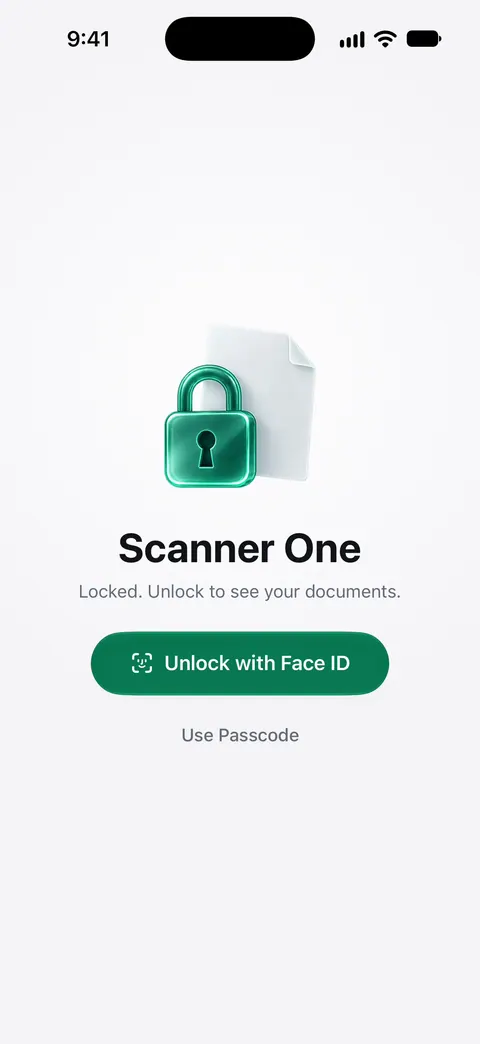
Your iPhone can also lock any app on its own. Apple’s steps: on the Home Screen, touch and hold the app until the menu opens, then tap Require Face ID. Either way works; our guide to locking documents with Face ID compares them.
Deleting
Deleted documents wait in Recently Deleted for 30 days before they are deleted for good. Until then, a deleted document is still on the phone, so keep that in mind before you lend or pass on the device.
Where Scanner One helps, and where it doesn’t
The biggest privacy protection is your iPhone itself: a passcode, Face ID, and up-to-date software. No app can protect a phone left unlocked.
Scanner One is built to keep your papers on that phone: Documents stay on your iPhone unless you share them or turn on iCloud Sync. Cloud AI is off until you switch it on, and page images are a separate permission. Scanner One needs no account and does no tracking. When you share a document, it goes where you send it, so send sensitive papers only to people who asked, and hide what they don’t need with permanent redaction. For where else to keep important papers, see where to keep important documents on your iPhone.
Questions and answers
Does Scanner One upload my documents?
Documents stay on your iPhone unless you share them or turn on iCloud Sync. Cloud AI is off until you switch it on, and page images are a separate permission.
Do I need an account?
No. Scanner One needs no account and does no tracking. Scanner One’s privacy manifest declares no tracking.
Can I lock Scanner One with Face ID?
Yes. You can lock the app with Face ID. Apple says apps that use Face ID are told only whether authentication succeeded, and can’t access the face data.
Is text recognition done on a server?
Text recognition runs on the device, in 29 languages.
What happens to a document I delete?
Deleted documents wait in Recently Deleted for 30 days before they are deleted for good.
Sources
What this page says about Scanner One was checked against the app on .
- Apple Support, iCloud data security overview — standard data protection and Advanced Data Protection for iCloud data, including app data stored in iCloud; published 2026-01-05
- Apple Support, About Face ID advanced technology — Face ID data doesn’t leave the device; apps are told only whether authentication succeeded; published 2026-09-18
- Apple Support, Lock or hide an app on iPhone (iPhone User Guide, iOS 27) — the iPhone’s own Require Face ID for any app; read 2026-11-13
- Scanner One on the App Store — the app’s own listing: private by default, cloud AI off until switched on, Face ID lock, no account, no tracking
Get Scanner One
Scanner One is free, with generous limits: scanning, clean PDFs and text search never stop.

Scanner OneScan, sign and ask anything
Scanner One is free, with generous limits: scanning, clean PDFs and text search never stop.