
Guide
Is it safe to upload your documents to an AI chatbot?
It can be reasonable for ordinary papers, but treat an upload like handing a copy to a company: the document leaves your phone and is handled under that service’s policy, which may include keeping it and having people review it. Before you upload, remove account numbers, ID numbers and health details, check whether chats are kept or used for training, and use a temporary chat if there is one. For IDs, tax and medical papers, prefer AI that runs on your iPhone.

What happens when you upload a document
When you attach a PDF or a photo to a chatbot, the file goes to the company’s servers, where its model reads it. From then on, what happens to it depends on that company’s policy and your settings. Three things vary from one service to another:
- Whether it’s kept. Some keep your chats, and the files in them, until you delete them, or for a set time.
- Whether people read it. Some services have staff review a share of conversations to improve the product.
- Whether it trains future models. Some use chats for training unless you opt out.
Google is unusually direct about this on its Gemini Apps Privacy Hub. It says a subset of chats are reviewed by human reviewers, and asks: “Please don’t enter confidential information that you wouldn’t want a reviewer to see.” It says activity is auto-deleted after 18 months by default (you can choose 3 or 36 months, or no auto-delete), that temporary chats and chats with Keep Activity off are kept for 72 hours, and that reviewed chats are kept for up to three years. Other providers have their own rules; read theirs before you upload.
The FTC has warned AI companies that customers “may reveal sensitive or confidential information” when they use AI models, and that these companies have “a continuous appetite for data”. NIST’s profile on generative AI lists data privacy among the main risks: leakage, unauthorized use or disclosure of personal information, and models that can infer sensitive details.
What Apple says it sends to ChatGPT
iPhone can hand questions to ChatGPT through Siri and Writing Tools when you turn on the ChatGPT extension. Apple says that when you use it, “your request and attachments” are sent to ChatGPT, along with limited data such as your time zone, country, device type, language and the feature you used. So asking Siri to have ChatGPT summarize a PDF sends that PDF.
iPhone may ask you to confirm before it sends a request. Leave Confirm Requests on if you handle personal documents on your phone, so nothing goes without a tap from you.
Apple Intelligence and Private Cloud Compute
Apple’s own AI works differently. Apple says many Apple Intelligence tasks run entirely on your iPhone. For complex requests it can use Private Cloud Compute, Apple’s servers, where Apple says the data “is not stored or made accessible to Apple” and is processed only to fulfill your request.
You can check what was sent. Go to Settings > Privacy & Security > Apple Intelligence Report, choose the last 15 minutes or 7 days, and tap Export Activity. The report lists requests your iPhone sent to Private Cloud Compute.
Documents to keep out of chatbots
Some papers are worth more to a fraudster than any summary is worth to you. Don’t upload these to a general chatbot:
- Passports, driver’s licenses and other ID, front or back
- Social Security cards, or anything showing a full Social Security number
- Tax returns, W-2s and 1099s
- Bank and card statements with full account numbers
- Medical records, test results and insurance claims
- Other people’s documents: a parent’s, a client’s, an employee’s
- Anything with passwords, PINs or security answers
- Work documents your employer hasn’t cleared for AI tools
How to upload more safely
If you decide to upload, these steps cut the risk:
- Send only the page you need. Split a long PDF and upload the two pages with the answer, not the whole file.
- Remove what the AI doesn’t need. Black out account numbers, ID numbers and signatures with real redaction. A drawn box can be removed. See how to redact a PDF properly.
- Check the settings first. Look for options that stop training on your chats, turn off history, or start a temporary chat.
- Delete the chat afterwards if the service lets you.
- Check the answer. AI can be confidently wrong. Ask where in the document it found the answer, then read that part yourself.
Where Scanner One helps, and where it doesn’t
The safest upload is the one you don’t make. If a question can be answered on your iPhone, the document never leaves it.
Here is exactly what Scanner One does with your documents, from its own listing:
- Documents stay on your iPhone unless you share them or turn on iCloud Sync.
- Text recognition runs on the device, in 29 languages.
- Cloud AI is off until you switch it on, and page images are a separate permission.
- Scanner One needs no account and does no tracking.
So questions start on the device: Free accounts can ask the on-device AI 3 questions a day. Ask your documents anything. When does the lease end? What did I spend at the shop? The answer comes back with the page it came from.
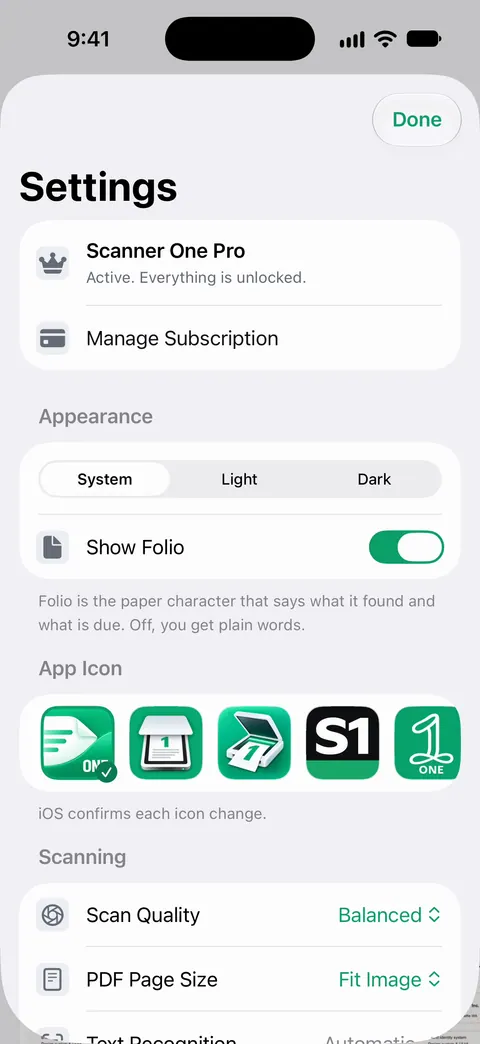
Cloud AI is the paid tier, and it stays off until you turn it on: Pro Max, the plan with cloud AI, costs $149.99 a year in the US. Credits for cloud AI come in packs of 100 for $2.99, 400 for $9.99 and 1,000 for $21.99 in the US. Once it’s on, cloud questions are answered off your iPhone, as with any cloud AI, and sending page images needs its own permission. For a passport or a tax return, keep to on-device questions.
What Scanner One can’t do is control what other services do with a file you share from it. Redaction is permanent. Pro adds redaction, the smart eraser, edit text, auto-export and five alternate app icons. The guide to on-device AI or cloud AI and the privacy feature page go further.
Questions and answers
Does ChatGPT keep the files I upload?
That depends on OpenAI’s current policy and your settings, which change over time. Read the provider’s own data controls page before you upload anything personal, and look for a temporary chat or a setting that stops your chats being used for training.
Can people at the AI company read my chats?
Some providers say so plainly. Google’s Gemini privacy hub says a subset of chats are reviewed by human reviewers and asks you not to enter confidential information you wouldn’t want a reviewer to see.
Is Apple Intelligence safe for private documents?
Apple says many tasks run entirely on your iPhone, and harder ones go to Private Cloud Compute, where data is not stored or made accessible to Apple. The ChatGPT extension is different: Apple says your request and attachments are sent to ChatGPT.
What does Scanner One send to the cloud?
Documents stay on your iPhone unless you share them or turn on iCloud Sync. Cloud AI is off until you switch it on, and page images are a separate permission. Free accounts can ask the on-device AI 3 questions a day.
Sources
What this page says about Scanner One was checked against the app on .
- FTC Office of Technology, AI Companies: Uphold Your Privacy and Confidentiality Commitments — users may reveal sensitive or confidential information to AI models, and model companies have an incentive to ingest more data; January 9, 2024
- Google, Gemini Apps Privacy Hub — a provider’s own policy: human review of a subset of chats, advice not to enter confidential information, retention periods and Keep Activity; privacy notice updated 2026-10-13, read 2026-11-13
- Apple iPhone User Guide, Use Siri to get answers from ChatGPT on iPhone — what Apple says is sent to ChatGPT through the extension, and Confirm Requests; iOS 27 guide, undated, read 2026-11-13
- Apple iPhone User Guide, Apple Intelligence and privacy on iPhone — on-device processing, Private Cloud Compute, and the Apple Intelligence Report; iOS 27 guide, undated, read 2026-11-13
- NIST AI 600-1, Artificial Intelligence Risk Management Framework: Generative Artificial Intelligence Profile — data privacy risks of generative AI: leakage, memorization and inference of personal information; July 2024
- Scanner One on the App Store — the app’s own listing: privacy, on-device text recognition and the cloud AI switch
Get Scanner One
Scanner One is free, with generous limits: scanning, clean PDFs and text search never stop.

Scanner OneScan, sign and ask anything
Scanner One is free, with generous limits: scanning, clean PDFs and text search never stop.