
Comparison
Scanner One vs iLovePDF on iPhone
Keep iLovePDF if you use its tools on the web, Windows, Mac or Android as well as the iPhone: one Premium plan covers all of them, listed at $5.49 a month or $44.99 a year on the US App Store, and free users get a few tasks a day. Look at Scanner One if your PDFs start as paper and you want them scanned, read and filed on the iPhone, with no account. Scanner One’s free PDF tools and exports run 3 a week, shared pages carry a small label, and Pro is $29.99 a year or $59.99 once once.

Scanner One is our app. Everything said here about iLovePDF comes from its US App Store page and its pricing page, read on November 13, 2026.
Side by side
Checked on November 13, 2026, on the US App Store and ilovepdf.com.
| iLovePDF | Scanner One | |
|---|---|---|
| Price model | Free download. Premium Monthly listed at $5.49 and Premium Yearly at $44.99 on the App Store; the website lists US$4 a month billed annually or US$7 monthly | Free download. Pro at $4.99 a month, $29.99 a year with a free week, or $59.99 once |
| Free version | Essential tools with limited processing; limited daily tasks in the app, renewed every day; unlimited reader | Scanning, clean PDFs and text search never stop. PDF tools and exports: 3 a week. A small “Scanned with Scanner One” label on shared pages |
| Privacy label | Linked to you: Contact Info, Identifiers. Not linked: Contact Info, Identifiers, Usage Data, Diagnostics. No tracking section | No account, no tracking |
| Platforms | iPhone, iPad, Mac and Apple Vision on the App Store; Android; Windows and Mac desktop apps; the web | iPhone and iPad |
| Standout | The same tools everywhere you work | Scans paper, files each document by itself and answers questions |
iLovePDF needs iOS 18.0 or later; version 4.2.3 came out on November 6, 2026. Scanner One needs iOS 17 or later.
What iLovePDF does well
iLovePDF is a PDF toolkit first. Its App Store description lists compress, merge, split, rotate, add or remove passwords, page numbers and watermarks, converting Office files to and from PDF, extracting images, annotating, and filling and signing forms. It also has a multipage scanner and text recognition.
Its real strength is being everywhere. The website lists a desktop app for Mac and Windows and a mobile app for iOS and Android, alongside the online tools, and Premium covers web, mobile and desktop. If you merge PDFs at work on a Windows PC and sign them on your phone at home, iLovePDF is the same tool in both places.
Its privacy label shows no “Data Used to Track You” section.
Daily tasks or weekly tools
iLovePDF’s free limit is daily. Its pricing page lists limited document processing on the free Basic plan, and in a reply on its App Store page dated February 20, 2025 it says free users get limited daily tasks in the app, renewed every day, plus unlimited access to the reader. The page doesn’t give the number.
Scanner One’s free version counts differently. Scanner One is free, with generous limits: scanning, clean PDFs and text search never stop.
- PDF tools and Office exports: 3 a week, from one shared allowance.
- Signing and markup: 3 documents a month.
- On a free account, pages you share, print or export carry a small “Scanned with Scanner One” label at the bottom right. Pro removes it.
If you run one or two PDF jobs most days, iLovePDF’s daily allowance may suit you better. If you scan a stack once a week and mostly need it read and filed, Scanner One’s model fits. Pro removes every limit.
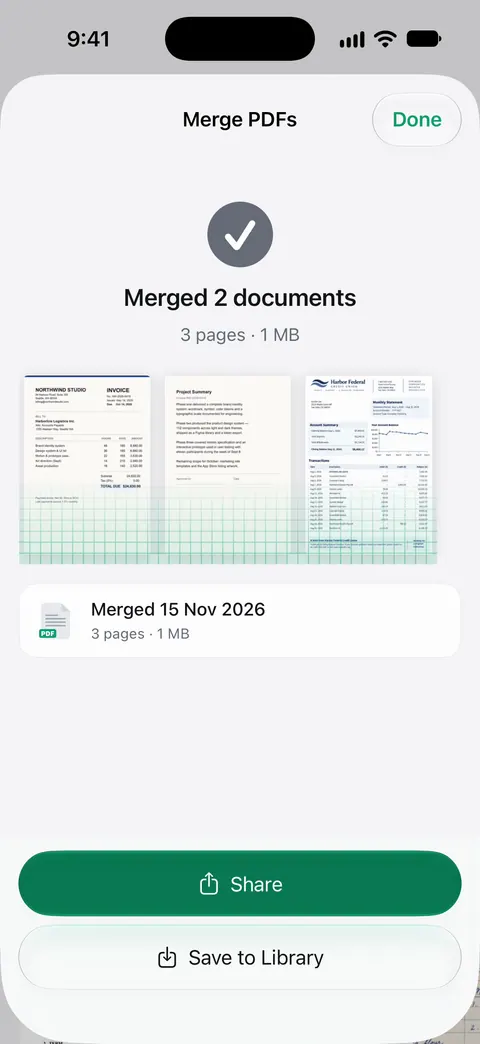
Our guides to merging PDFs and splitting a PDF show Apple’s free ways first, for when you need neither app.
What Scanner One adds
iLovePDF is built around PDF jobs. Scanner One is built around paper you keep.
- Point your camera at any piece of paper. Scanner One finds the edges, straightens the page, cleans it up and saves a real PDF.
- Then it reads the text, names the document, tags it and puts it in the right folder.
- Search looks inside the text of every document and shows the matching line and page.
- ID cards and passports are scanned with both sides on one printable page. Book spreads are split into two pages and curved lines are flattened.
- Ask your documents anything. When does the lease end? What did I spend at the shop? The answer comes back with the page it came from.
Documents stay on your iPhone unless you share them or turn on iCloud Sync. Scanner One needs no account and does no tracking.
Keep iLovePDF if
- You use PDF tools on a Windows or Mac computer as well as your phone.
- You run a PDF job or two most days and the daily free tasks cover it.
- You switch between iPhone and Android.
Choose Scanner One if
- Your documents start on paper and you want them read and filed.
- You want papers kept on the iPhone, with no account.
- You’d rather pay once: one payment, yours forever, at $59.99 once.
For another web-based toolkit, see Scanner One vs Smallpdf.
Where Scanner One helps, and where it doesn’t
Scanner One helps when the PDF is a scan you want to keep and find again. Every page is read on the phone, and Search looks inside the text of every document and shows the matching line and page.
Where iLovePDF is the better fit:
- Every platform. Scanner One runs on iPhone and iPad. Scanner One has no web, Windows, Mac or Android version.
- Daily use without paying. iLovePDF’s free tasks renew each day. Scanner One’s free PDF tools run 3 a week; Free and Pro lists every limit.
- The free label. On a free account, pages you share, print or export carry a small “Scanned with Scanner One” label at the bottom right. Pro removes it.
- Cloud AI. Cloud AI is off until you switch it on, and page images are a separate permission. Pro Max, the plan with cloud AI, costs $149.99 a year in the US.
The PDF tools page lists exactly what Scanner One can do to a file.
Questions and answers
How many free tasks does iLovePDF give on iPhone?
iLovePDF doesn’t publish a number on its App Store page. In a reply there dated February 20, 2025, it says free users get limited daily tasks in the app, renewed every day, and unlimited access to the reader. Its pricing page lists 'limited document processing' for the free Basic plan.
How much is iLovePDF Premium?
On the US App Store, iLovePDF Premium Monthly is listed at $5.49 and Premium Yearly at $44.99. Its website lists Premium at US$4 a month billed annually (US$48) or US$7 billed monthly, covering web, mobile and desktop.
Is there an iLovePDF alternative that works without an account?
Scanner One: Scanner One needs no account and does no tracking. Documents stay on your iPhone unless you share them or turn on iCloud Sync. Its PDF tools are free 3 a week, and Pro removes the limit.
Does iLovePDF have OCR on iPhone?
Yes, its App Store description lists text recognition (OCR). In Scanner One, Text recognition runs on the device, in 29 languages. Text recognition runs on every page for everyone, free or Pro.
Sources
What this page says about Scanner One was checked against the app on .
- iLovePDF - PDF Editor & Scan on the App Store — in-app purchases, features, the developer’s reply on free daily tasks (dated 2025-02-20), privacy label, compatibility and version 4.2.3 of November 6, 2026; read 2026-11-13
- iLovePDF pricing — Basic and Premium plans in US dollars, and the desktop and mobile apps; read 2026-11-13
- Scanner One on the App Store — the app’s own listing
Get Scanner One
Scanner One is free, with generous limits: scanning, clean PDFs and text search never stop.

Scanner OneScan, sign and ask anything
Scanner One is free, with generous limits: scanning, clean PDFs and text search never stop.