
Comparison
Scanner One vs Smallpdf on iPhone
Pick Smallpdf if you work on PDFs on a computer as much as on the phone: it is a web toolkit with an app, free within a daily task limit, and Pro is listed from $7.99 a month or $49.99 a year on the US App Store. Its description says uploaded files are deleted 1 hour after processing. Pick Scanner One if you start from paper and want documents kept on the iPhone, read and filed for you. Scanner One’s free PDF tools and exports run 3 a week; Pro is $29.99 a year or $59.99 once once.

Scanner One is our app. Everything said here about Smallpdf comes from its US App Store page and its pricing page, read on November 13, 2026.
Side by side
Checked on November 13, 2026, on the US App Store and smallpdf.com.
| Smallpdf | Scanner One | |
|---|---|---|
| Price model | Free download. Monthly Plan listed at $7.99, $11.99 and $14.99; Yearly Plan at $49.99, $59.99, $107.99 and $119.99 | Free download. Pro at $4.99 a month, $29.99 a year with a free week, or $59.99 once |
| Free version | Free within a daily task limit; limited downloads and limited mobile app access | Scanning, clean PDFs and text search never stop. PDF tools and exports: 3 a week. A small “Scanned with Scanner One” label on shared pages |
| Where files are processed | Uploaded, then deleted 1 hour after processing | Documents stay on your iPhone unless you share them or turn on iCloud Sync. |
| Text recognition | OCR listed among Pro’s additions on the pricing page | Text recognition runs on the device, in 29 languages. Free for everyone |
| Privacy label | Tracking: Identifiers. Linked to you: Identifiers. Not linked: User Content, Usage Data, Diagnostics | No account, no tracking |
| Platforms | iPhone, iPad and Apple Vision, plus the web tools | iPhone and iPad |
| Standout | 30+ tools on the web and in the app | Scans paper, then files it by itself and answers questions |
Smallpdf needs iOS 15.6 or later; version 1.53.83 came out on October 17, 2026. Scanner One needs iOS 17 or later.
What Smallpdf does well
Smallpdf’s pricing page counts 30+ document tools. The app’s description lists converting PDF to and from Word, Excel, PowerPoint, JPG and PNG, editing with text, images and shapes, annotating, compressing, signing, merging and filling forms. It also scans documents with the camera, crops them automatically and runs OCR.
The big advantage is that the same account works on the web. If you start a PDF on your phone and finish it on a work computer, or a colleague on another computer needs the same tools, Smallpdf covers both. Pro also includes a Sign.com Premium subscription for e-signatures, according to the pricing page.
Daily limits and what Pro adds
Smallpdf’s App Store description says it is free within a daily task limit. The pricing page lists the Free plan with 30+ tools, limited document downloads and limited mobile app access, and many tools marked with a daily download limit. Pro adds unlimited access to all tools and downloads, Edit Text, OCR, strong compression and the AI tools. The description mentions a free trial of Pro.
Scanner One’s limits are weekly and monthly instead of daily, and some things have no limit at all. Scanner One is free, with generous limits: scanning, clean PDFs and text search never stop.
- PDF tools (merge, split, compress, protect, page numbers, watermarks, extract text) and the Word, Excel and CSV exports: 3 a week, from one shared allowance.
- Signing and markup: 3 documents a month.
- Clean Up, the smart eraser: 3 documents a month.
Pro removes every limit. Pro comes monthly, yearly with a free week, or once for life.
Uploads or the phone
Smallpdf’s description says uploaded files are deleted 1 hour after processing, unless you save them locally or to the cloud. So files are uploaded to be processed. For most office files that is fine. For a tax return or a medical letter, you may prefer it didn’t leave the phone.
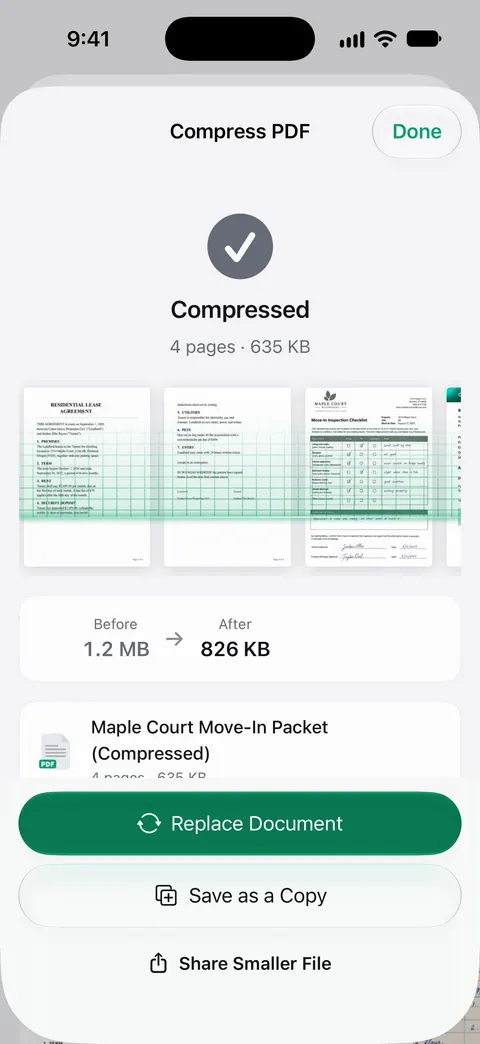
Scanner One keeps documents on the iPhone. Documents stay on your iPhone unless you share them or turn on iCloud Sync. Scanner One needs no account and does no tracking. Cloud AI is off until you switch it on, and page images are a separate permission. Our guide to making a PDF smaller to email also shows Apple’s free way to shrink a PDF without uploading it.
Pick Smallpdf if
- You work on PDFs on a computer too, or share tools with a team.
- You mostly convert and edit PDFs others send you.
- You want e-signatures through Sign.com.
Pick Scanner One if
- Your PDFs start as paper and you want them straightened, cleaned and read. Scanner One finds the edges of the page automatically and corrects the perspective.
- You want documents kept on the iPhone and filed for you: Then it reads the text, names the document, tags it and puts it in the right folder.
- You want text recognition free on every page.
- You’d rather pay once: one payment, yours forever.
For another web-first toolkit, see Scanner One vs iLovePDF.
Where Scanner One helps, and where it doesn’t
Scanner One helps when you scan and keep personal papers: it reads every page on the phone and lets you find and ask them later. Search looks inside the text of every document and shows the matching line and page. Ask your documents anything. When does the lease end? What did I spend at the shop? The answer comes back with the page it came from.
Where Smallpdf is stronger:
- The web. Scanner One runs on iPhone and iPad. Scanner One has no web, Mac, Windows or Android version.
- Tool count for office PDFs. Smallpdf lists 30+ tools and an e-signature service. See the PDF tools page for exactly what Scanner One does.
- The free label. On a free account, pages you share, print or export carry a small “Scanned with Scanner One” label at the bottom right. Pro removes it.
- Cloud AI. Pro Max, the plan with cloud AI, costs $149.99 a year in the US.
For a single conversion, Apple’s own tools may be enough: PDF to Word on iPhone covers the free routes first.
Questions and answers
Is Smallpdf free on iPhone?
Its App Store description says Smallpdf is free within a daily task limit, and its pricing page lists the Free plan with limited document downloads and limited mobile app access. Pro removes those limits.
Does Smallpdf upload my files?
Its App Store description says uploaded files are deleted 1 hour after processing, unless you save them locally or to the cloud. In Scanner One, Documents stay on your iPhone unless you share them or turn on iCloud Sync.
How much is Smallpdf Pro on iPhone?
The US App Store lists Monthly Plan purchases at $7.99, $11.99 and $14.99, and Yearly Plan purchases at $49.99, $59.99, $107.99 and $119.99. Check the plan screen in the app for which one applies to you.
Which one compresses a PDF for email?
Both do. Smallpdf lists Strong Compression among its Pro features. The PDF tools merge, split, compress, password-protect, add page numbers and watermarks, and extract text. Free accounts can run them 3 a week.
Sources
What this page says about Scanner One was checked against the app on .
- Smallpdf: Scanner & PDF Editor on the App Store — in-app purchases, the daily task limit, file deletion after processing, features, privacy label, compatibility and version 1.53.83 of October 17, 2026; read 2026-11-13
- Smallpdf pricing — what the Free and Pro plans include, and the web tools; read 2026-11-13
- Scanner One on the App Store — the app’s own listing
Get Scanner One
Scanner One is free, with generous limits: scanning, clean PDFs and text search never stop.

Scanner OneScan, sign and ask anything
Scanner One is free, with generous limits: scanning, clean PDFs and text search never stop.