
Feature
Scanner One on iPad and iPhone
Scanner One runs on iPhone and iPad. Scanner One needs iOS 17 or later. On iPad, the bigger screen gives you more room to read, check a scan and sign. Documents stay on your iPhone unless you share them or turn on iCloud Sync. There is no Mac, Android or web version.

On iPad
Scanner One runs on iPhone and iPad. Scanner One needs iOS 17 or later. It is one app for both: the scanner, the Library, search and the tools are the same app on the bigger screen. From Home you can bring in pictures from Photos and files from the Files app, or scan an ID card.
A bigger screen changes what is comfortable:
- Reading. A page closer to its paper size, for leases, statements and long letters.
- Markup and signing. More room to place a signature exactly on the line and to highlight a table.
- Checking scans. A larger view of the page before you save or send it.
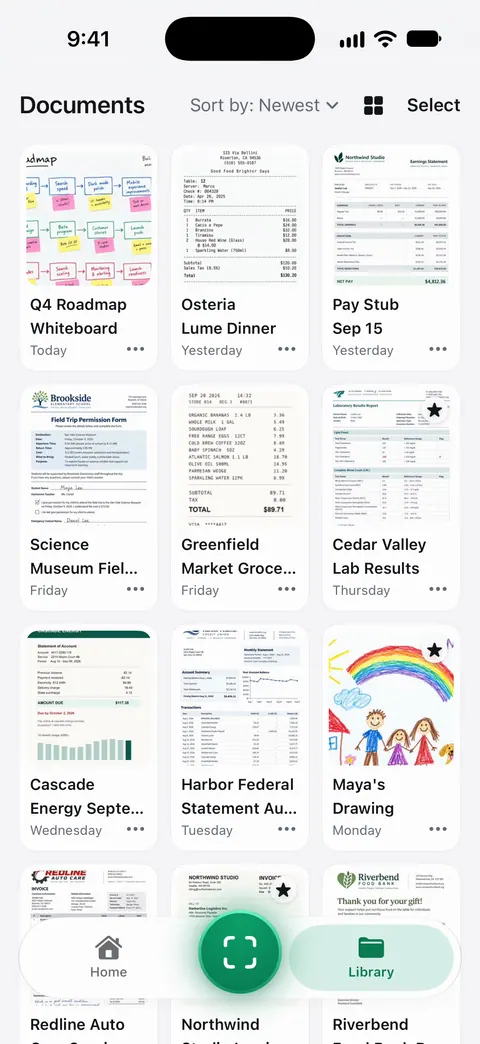
Scanning with an iPad
The iPad camera scans like the iPhone’s: Scanner One finds the page and straightens it. Scanner One finds the edges of the page automatically and corrects the perspective. A few things make it easier:
- Put the paper on a table and stand up. Holding an iPad flat over a page is tiring; lean over the table instead of lifting the iPad high.
- Mind the shadow. A large iPad casts a large shadow. Light from the side or a window works best.
- Use the iPhone for stacks. For twenty receipts, the phone is lighter in the hand. Scan on the iPhone and read and sort on the iPad.
Our guide to scanning documents on iPad covers the iPad’s own scanner in Notes and Files too, and the scanner apps for iPad compares the options, with Scanner One disclosed as ours.
Using an iPhone and an iPad
Documents stay on your iPhone unless you share them or turn on iCloud Sync. So by default, each device keeps its own documents. If you want your documents on both, iCloud Sync, in Settings, is the option to look at. Before you do, read the privacy page, which explains what that changes.
When you get a new device, our guide to moving your scans to a new iPhone applies to an iPad too, and backing up scanned documents covers keeping copies.
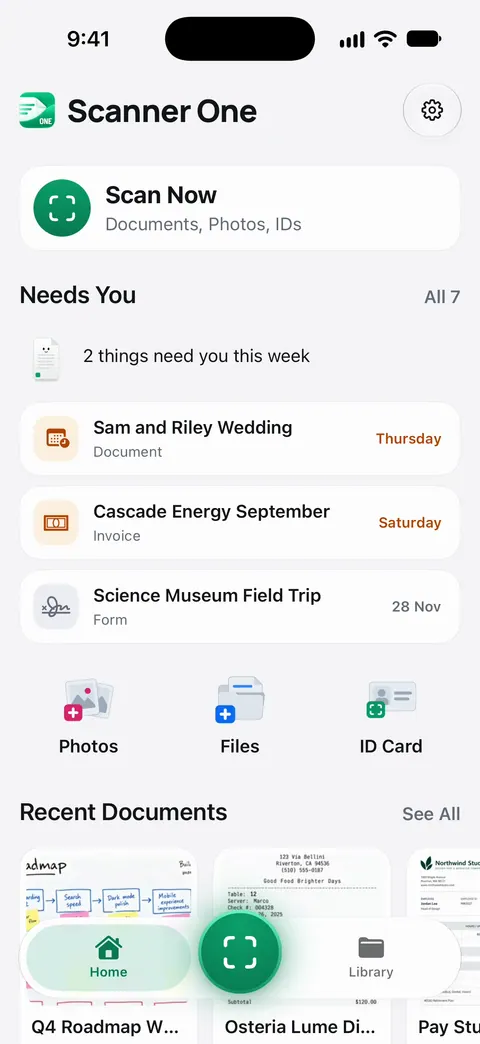
On iPhone Duo. Scanner One fits both screens of iPhone Duo.
What Scanner One does not run on
- No Mac version. To get a scan onto a Mac, scan on the iPhone and send it with Share & Export. For other ways, see scanning on a Mac with your iPhone.
- No Android version and no web app.
- Older iPhones and iPads. Scanner One needs iOS 17 or later. The App Store shows whether your device can install it.
Where Scanner One helps, and where it doesn’t
The iPad already scans on its own: Notes and Files both have Scan Documents, on iPad as on iPhone, and for a page now and then that is enough.
Scanner One helps when you want the same scanner, the same search and the same tools on the device you have in hand, and room to read on the bigger screen. Scanner One is free, with generous limits: scanning, clean PDFs and text search never stop. On a free account, pages you share, print or export carry a small “Scanned with Scanner One” label at the bottom right. Pro removes it. Plans are on Free and Pro.
Questions and answers
Does Scanner One work on iPad?
Yes. Scanner One runs on iPhone and iPad. Scanner One needs iOS 17 or later.
Is there a Mac version?
No. Scanner One runs on iPhone and iPad. To get scans onto a Mac, see our guide to scanning on a Mac with your iPhone.
Can I use it on my iPhone and my iPad together?
Documents stay on your iPhone unless you share them or turn on iCloud Sync. If you want the same documents on both, iCloud Sync is the setting to look at.
Is the iPad a good scanner?
It can be: the big screen helps you check a scan before you save it. It is heavier to hold over a page than a phone, so for a stack of paper many people still reach for the iPhone.
Sources
What this page says about Scanner One was checked against the app on .
- Apple Support, How to scan documents on your iPhone or iPad — the built-in Notes and Files scanner on iPhone and iPad; page published 2026-02-13
- Apple, iTunes Search API lookup for Scanner One (US) — supported devices include iPhone and iPad models; minimum OS 17.0; read 2026-11-13
- Scanner One on the App Store — the app’s own listing
Get Scanner One
Scanner One is free, with generous limits: scanning, clean PDFs and text search never stop.

Scanner OneScan, sign and ask anything
Scanner One is free, with generous limits: scanning, clean PDFs and text search never stop.