
Feature
Siri and Shortcuts
With Siri and Shortcuts you can open, find, share and ask your documents by voice, and see what’s due. To see what Scanner One offers, open the Shortcuts app, find App Shortcuts in the sidebar and tap Scanner One. To run a shortcut with Siri, activate Siri and say the shortcut’s name. You can also add the app’s shortcuts to shortcuts of your own.

What you can do by voice
With Siri and Shortcuts you can open, find, share and ask your documents by voice, and see what’s due. In practice that covers the moments when your hands are busy or the phone is across the room:
- Open a document you use often, like your insurance card or a boarding pass.
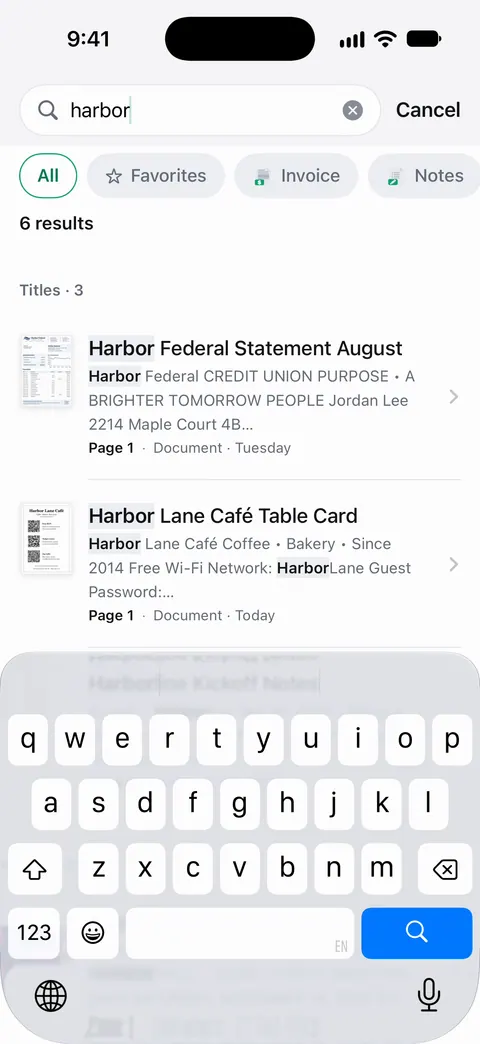
- Find a document by what you remember, without opening the app and typing.
- Share a document, for example your proof of address to the person who asked.
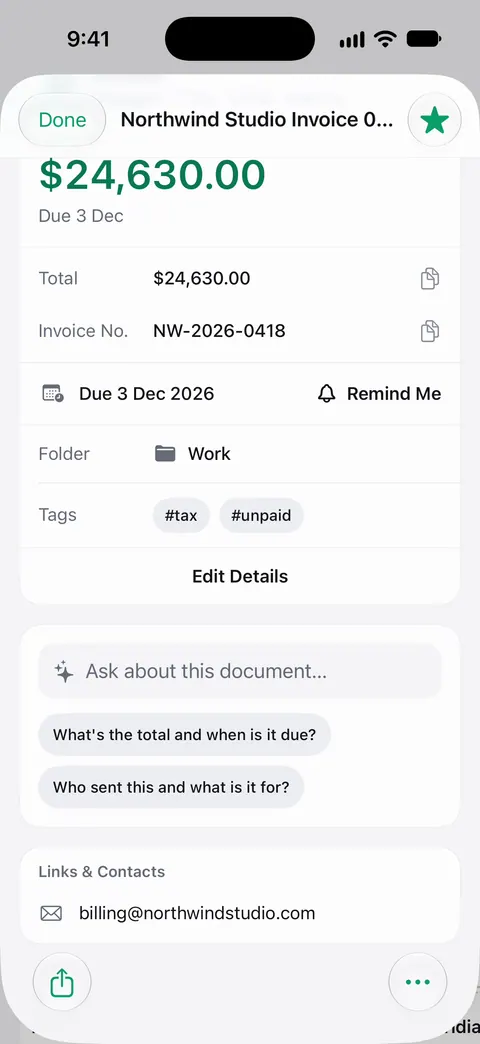
- Ask a question about your documents.
- See what’s due, without scrolling through bills.
Where to find Scanner One’s shortcuts
Apps that include built-in shortcuts list them in the Shortcuts app. Apple’s steps:
- Open the Shortcuts app.
- Open the sidebar: on iPhone, tap the icon in the upper-left corner; on iPad, swipe from the left edge.
- Under App Shortcuts, tap Scanner One.
- Tap a shortcut to run it.
How to run one with Siri
Activate Siri on your iPhone or iPad, then say the name of the shortcut. That is Apple’s method for running a shortcut by voice.
A few habits make voice work better:
- Use the names you see. Say the shortcut’s name as it is shown in the Shortcuts app.
- Name documents so they are easy to say. “Car insurance card” is easier to ask for than “Scan 2026-03-14”. Then it reads the text, names the document, tags it and puts it in the right folder.
- Ask for a document by a word you remember. Search looks inside the text of every document and shows the matching line and page.
Make your own shortcut
The Shortcuts app lets you build a shortcut with several steps, and app shortcuts can be among them. A few ideas to try:
- A shortcut you run before a trip that opens your travel papers.
- One you run on the first of the month to see what’s due.
- One that finds a document and shares it in the same step, for papers you send often.
Our guide to finding a document with Siri and Shortcuts walks through building one, and where to keep important documents on iPhone covers what to keep where.
What to know
- Siri works with what is in your Library. A paper you never scanned can’t be found by voice.
- Check before you share. When a shortcut shares a document, look at the share sheet before you send it to make sure it is the right paper. On a free account, pages you share, print or export carry a small “Scanned with Scanner One” label at the bottom right. Pro removes it.
- Questions by voice. Ask your documents explains how asking works and its free allowance. Cloud AI is off until you switch it on, and page images are a separate permission.
Where Scanner One helps, and where it doesn’t
If you keep a few documents in the Files app with clear names, opening Files and searching for the name may be all you need, with no voice involved.
Scanner One adds its own shortcuts on top: With Siri and Shortcuts you can open, find, share and ask your documents by voice, and see what’s due. It helps most when your papers are in Scanner One already, named, read and searchable. See search inside every document for searching in the app, and the privacy page for what stays on your iPhone.
Questions and answers
Can I find a document with Siri?
Yes. With Siri and Shortcuts you can open, find, share and ask your documents by voice, and see what’s due.
Where are Scanner One’s shortcuts?
In the Shortcuts app: open the sidebar, look under App Shortcuts and tap Scanner One. Apple lists each app’s built-in shortcuts there.
Do I have to build a shortcut first?
No. Apps that include built-in shortcuts list them in the Shortcuts app, ready to run. You can still build your own and add the app’s shortcuts as steps.
Does using Siri send my documents anywhere?
Documents stay on your iPhone unless you share them or turn on iCloud Sync. Cloud AI is off until you switch it on, and page images are a separate permission.
Sources
What this page says about Scanner One was checked against the app on .
- Apple Support, Run app shortcuts on iPhone or iPad (Shortcuts User Guide, iOS 27) — apps' built-in shortcuts appear under App Shortcuts in the Shortcuts app and can be used in your own shortcuts; read 2026-11-13
- Apple Support, Use Siri to run shortcuts with your voice (Shortcuts User Guide, iOS 27) — activate Siri and say the shortcut’s name; read 2026-11-13
- Scanner One on the App Store — the app’s own listing: open, find, share and ask your documents by voice, and see what’s due
Get Scanner One
Scanner One is free, with generous limits: scanning, clean PDFs and text search never stop.

Scanner OneScan, sign and ask anything
Scanner One is free, with generous limits: scanning, clean PDFs and text search never stop.