
Comparison
The best scanner apps for iPad
On iPad, the Notes app scans to PDF and lets you sign with Apple Pencil on a compatible iPad, with nothing to install. Among apps that list iPad on the US App Store, Genius Scan is free and notes better iPad window handling, Prizmo supports iPad multitasking and Apple Pencil annotation, TurboScan runs back to iPadOS 13.0, and Scanner Pro and Adobe Scan need iPadOS 18.0. CamScanner is marked Designed for iPhone. Scanner One, our app, runs on iPhone and iPad.

Scanner One is our app and runs on iPhone and iPad, so it is on this list with its limits. Facts about other apps come from their own App Store pages, read on November 13, 2026.
Scanning on an iPad: what is different
An iPad is a fine scanner with one catch: it is big. Holding it flat over a page for several pages is tiring, so lay the paper on a table in even light and hold the iPad with both hands, or prop it on a stand. The big screen pays off afterwards: you see the whole page at full size, crop precisely, and sign with Apple Pencil.
Our guide to scanning documents on iPad covers positioning and light.
Start with Notes on iPad
Apple’s support page covers iPhone and iPad together. In Notes, open a note, tap the Attachment button, then Scan Documents. In Auto mode the page scans itself; otherwise tap the Shutter button, adjust the corners and tap Keep Scan, then Done. To sign, tap the document, tap Markup, then Add and Signature, or sign by hand with your finger or an Apple Pencil on a compatible iPad. The Files app scans from its More button too.
iPad scanner apps compared
Checked on November 13, 2026, on the US App Store.
| App | On iPad, per its App Store page | iPad touches, per the developer | Price model | Data used to track you |
|---|---|---|---|---|
| Notes, Files (Apple) | Built in | Apple Pencil signing on a compatible iPad | Built into iOS | Part of iPadOS |
| Genius Scan | iPadOS 17.0 | Better iPad window sizing; iPadOS 26 windowed mode | Free Basic, Ultra $39.99 a year | None |
| Prizmo | iPadOS 17.5; also Mac | iPad multitasking, drag and drop, Apple Pencil annotation | Free, one-time Premium Pack $23.99 | Data Not Collected |
| TurboScan | iPadOS 13.0 | Not described | Free with one $14.99 purchase; Pro $12.99 | Data Not Collected |
| Scanner Pro | iPadOS 18.0; also Vision Pro | Turns your iPhone or iPad into a scan-to-PDF tool | Free, Plus by the week or year | Identifiers |
| Adobe Scan | iPadOS 18.0 | Not described | Free, subscriptions | Identifiers |
| CamScanner | Not listed: Designed for iPhone | Not applicable | Free, subscriptions | Identifiers, Usage Data |
| Scanner One (ours) | iPhone and iPad | See below | Pro comes monthly, yearly with a free week, or once for life. | No account, no tracking |
Each app, honestly
Prizmo: the most iPad-minded
Prizmo’s description says it is built for iPhone and iPad, supports iPad multitasking and drag and drop, works with Apple Pencil for annotations, and syncs through iCloud and Continuity across iPhone, iPad and Mac. It is free to try; the one-time Premium Pack ($23.99 in its list) removes the limits. Data Not Collected.
Pick it if you want an iPad scanner that feels at home in Split View and with a pencil.
Genius Scan: free and iPad-ready
Genius Scan needs iPadOS 17.0, and its recent version notes mention better handling of iPad window sizing and enhanced support for iPadOS 26’s windowed mode. The free Basic plan has no document limit and no watermark, per its pricing page.
Pick it if you want a free scanner that behaves well in iPad windows.
TurboScan: for older iPads
TurboScan runs on iPadOS 13.0 and later, the oldest requirement here, so it suits an iPad that stopped getting updates. Its label says Data Not Collected. TurboScan Pro is a $12.99 paid app.
Scanner Pro and Adobe Scan: newer iPads only
Both need iPadOS 18.0. Scanner Pro’s description says it turns your iPhone or iPad into a scan-to-PDF tool, and it also runs on Vision Pro. Adobe Scan saves scans to Adobe Document Cloud automatically. Both labels list Identifiers as used to track you.
CamScanner: iPhone only
CamScanner’s US App Store page marks it Designed for iPhone, with iPhone, iPod touch and Mac in its Compatibility section and no iPad line. If you scan on an iPad, pick another app from this list.
Scanner One: same app, bigger screen
Scanner One runs on iPhone and iPad. Point your camera at any piece of paper. Scanner One finds the edges, straightens the page, cleans it up and saves a real PDF. You can sign and annotate documents. Listen reads any document aloud.
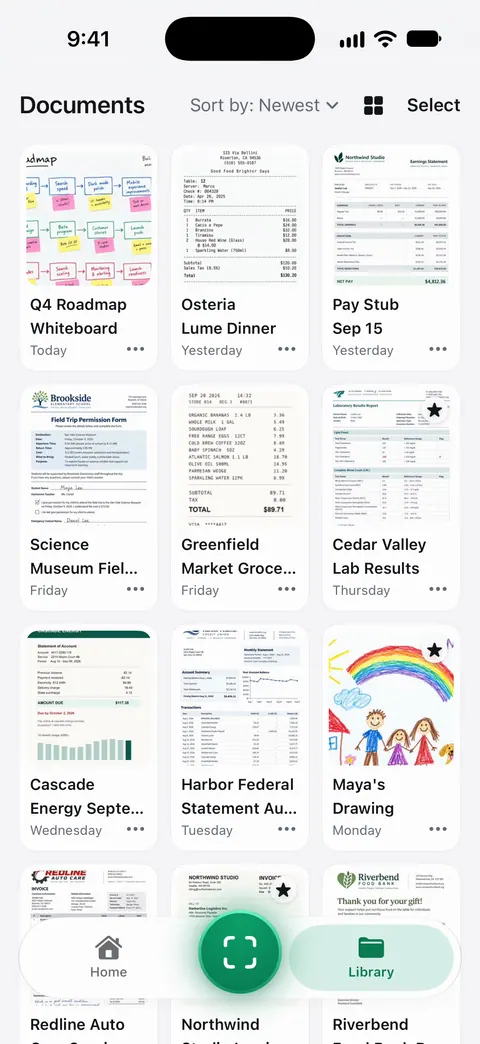
Scanner One fits both screens of iPhone Duo.
Pick this if
- You scan a page now and then on iPad: Notes.
- You want an app made for iPad work: Prizmo.
- You want free and unmarked: Genius Scan.
- Your iPad is old: TurboScan.
- You use CamScanner on iPhone and just got an iPad: you will need a different app there.
Where Scanner One helps, and where it doesn’t
Where it helps on iPad: Scanner One runs on iPhone and iPad. Text recognition runs on every page for everyone, free or Pro. Search looks inside the text of every document and shows the matching line and page. The PDF tools merge, split, compress, password-protect, add page numbers and watermarks, and extract text. You can lock the app with Face ID.
Where it doesn’t: On a free account, pages you share, print or export carry a small “Scanned with Scanner One” label at the bottom right. Pro removes it. Free accounts can run the PDF tools and the Word, Excel and CSV exports 3 times a week, from one shared allowance. Free accounts can sign and mark up 3 documents a month. Scanner One needs iOS 17 or later. Older iPads that can’t run it are better served by TurboScan. There is no Mac version; Prizmo has one if you want the same scanner on a Mac. More in Scanner One on iPad.
Questions and answers
Can I scan documents with an iPad?
Yes. Apple’s support page covers iPhone and iPad: open Notes, tap the Attachment button, then Scan Documents, or scan from the More button in Files. You can sign the scan with your finger or an Apple Pencil on a compatible iPad.
Does CamScanner work on iPad?
The US App Store page marks CamScanner as Designed for iPhone, and its Compatibility section lists iPhone, iPod touch and Mac, not iPad.
Do I have to buy a scanner app twice for iPhone and iPad?
Check the app’s own page before you buy. PDF Expert’s description, for example, says one Premium subscription covers iPhone, iPad and Mac, so you don’t buy versions separately.
Is it better to scan with an iPhone or an iPad?
An iPhone is easier to hold steady over a page. An iPad gives you a big screen to check the scan, crop it and sign with Apple Pencil. Many people scan on the iPhone and review on the iPad.
Sources
What this page says about Scanner One was checked against the app on .
- Apple Support, How to scan documents on your iPhone or iPad — Notes and Files scanning on iPad, signing with Apple Pencil on a compatible iPad; page published 2026-02-13
- Prizmo on the App Store — iPad multitasking, drag and drop, Apple Pencil, iPadOS 17.5; read 2026-11-13
- Genius Scan on the App Store — iPadOS 17.0, version notes on iPad window sizing; read 2026-11-13
- CamScanner on the App Store — Designed for iPhone; Compatibility lists iPhone, iPod touch and Mac; read 2026-11-13
- Scanner One on the App Store — the app’s own listing
Get Scanner One
Scanner One is free, with generous limits: scanning, clean PDFs and text search never stop.

Scanner OneScan, sign and ask anything
Scanner One is free, with generous limits: scanning, clean PDFs and text search never stop.