
Feature
Needs You: what is due, from your own papers
Needs You gathers bills due, return windows and IDs about to expire on Home, from your own papers. You don’t type dates into a calendar: scan the bill, the receipt or the ID card as usual, and what needs you shows up on Home. With Siri and Shortcuts you can open, find, share and ask your documents by voice, and see what’s due. It works from what you scanned, so a bill that never reached Scanner One won’t be there.

What it does
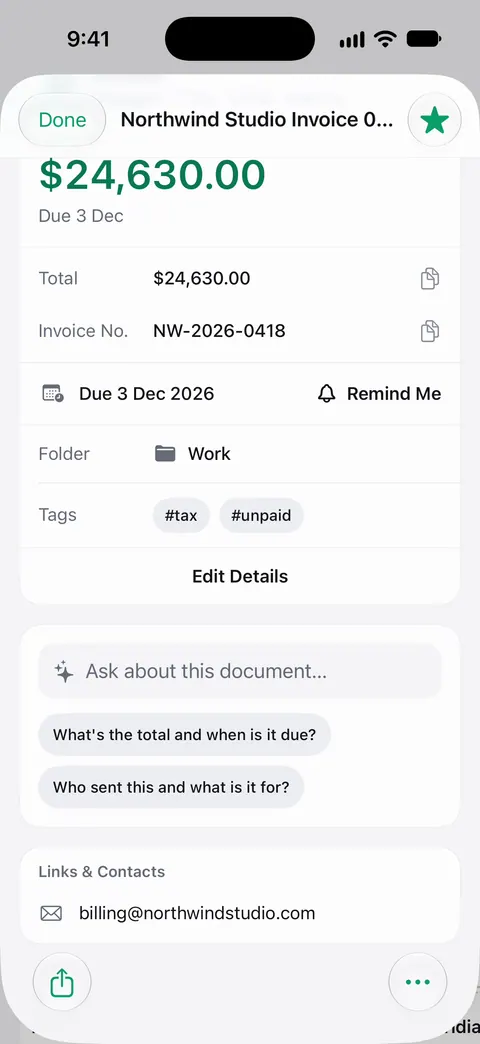
Needs You gathers bills due, return windows and IDs about to expire on Home, from your own papers.
Three kinds of dates catch people out, and all three are printed on paper you already have:
- Bills due. The electric bill, the insurance premium, the property tax, the clinic invoice.
- Return windows. The days you have to take something back, printed on the receipt or the store’s policy.
- IDs about to expire. A driver’s license, a passport, a residence card.
Needs You puts them on Home, so you see what is coming up without opening each paper.
How to use it
- Scan bills when they arrive, receipts when you buy something you might return, and your ID cards and passport once.
- Save as usual. Then it reads the text, names the document, tags it and puts it in the right folder.
- Open Home. What needs you is gathered there, from your own papers.
- Before you act on a date, open the paper and check it.
The habit that makes Needs You useful is the same one that keeps your papers in order: scanning them when they come in.
Making it work for you
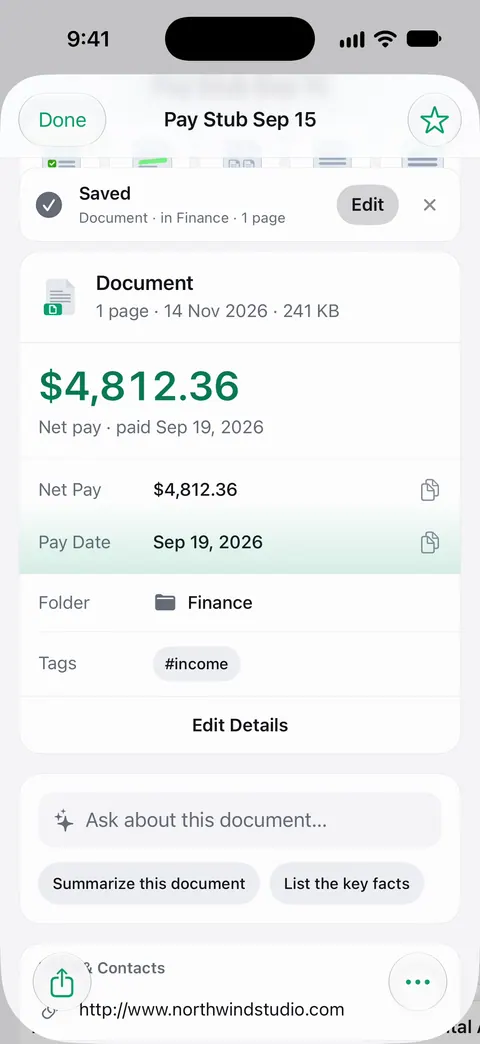
- Scan the paper with the date on it. A bill’s first page usually has the due date; a receipt’s bottom lines have the return policy; an ID’s front has the expiry date.
- Keep receipts for big purchases. A return window is short. Scan the receipt at the till and you will see the window before it closes. Our guide to tracking return windows has the habit.
- Scan your IDs once. Passport rules often ask for months of validity left, not just an unexpired passport. See when to renew your passport and getting a reminder before an ID expires.
- Bills that come by email can be saved straight to Scanner One. Other apps can send a file to Scanner One with Save to Scanner One in their share sheet.
For the bills themselves, keeping track of bills due without a spreadsheet walks through a whole system, and a year of household paperwork lists what tends to come due when.
What it does not do
- It doesn’t pay anything. Paying stays with your bank or the company that billed you.
- It only knows your papers. A bill on autopay that never arrives as paper or PDF won’t show up.
- It doesn’t replace reading the paper. A date read from a smudged scan can be wrong; check the original for anything that costs money if missed.
- It isn’t a calendar. If you want an alarm on your phone for a date, add it to Calendar or Reminders too.
Where Scanner One helps, and where it doesn’t
If you pay everything by autopay and get reminders from your bank, you may not need this. A calendar with the four or five big dates of your year also works, and costs nothing.
Needs You helps when dates arrive on paper and in many places at once: a bill, a store receipt, a passport in a drawer. It gathers them from the papers you already scan. With Siri and Shortcuts you can open, find, share and ask your documents by voice, and see what’s due. See the 1.0.1 release for everything else new, and Free and Pro for what each plan includes.
Questions and answers
What does Needs You show?
Needs You gathers bills due, return windows and IDs about to expire on Home, from your own papers.
Do I have to enter due dates myself?
No. Needs You works from your own papers, so scanning the bill, the receipt or the ID is how a date gets there. Check the date on the paper when it matters.
Can Siri tell me what is due?
With Siri and Shortcuts you can open, find, share and ask your documents by voice, and see what’s due.
Does it pay my bills or connect to my bank?
Needs You gathers what is due from your own papers. Paying stays with your bank or with the company that sent the bill.
Sources
What this page says about Scanner One was checked against the app on .
- Scanner One on the App Store — the app’s listing and 1.0.1 release notes: Needs You gathers bills due, return windows and IDs about to expire on Home
Get Scanner One
Scanner One is free, with generous limits: scanning, clean PDFs and text search never stop.

Scanner OneScan, sign and ask anything
Scanner One is free, with generous limits: scanning, clean PDFs and text search never stop.