
Guide
Make sure your family can find your documents
Gather your will, powers of attorney, insurance policies, account list, deeds, titles and IDs. Keep the originals together in one safe place and scan copies into one folder. Write a one-page guide to where everything is and who to call, and tell one or two trusted people where to find it. On iPhone, share the folder with them through iCloud Drive and add a Legacy Contact so they can reach your Apple account data after your death.

This page is general information, not legal advice. Wills, powers of attorney and who may access accounts after a death depend on where you live, and rules change. A lawyer in your state, or your local bar association, can tell you what applies to you.
This page is about the “if something happens to me” plan: making sure the people you trust can find your important papers when they need them, during an emergency or after you’re gone. For the day-to-day mechanics of sharing a folder, see the guides linked below. For the documents an executor is asked for, see after someone dies: the documents you will be asked for.
What your family will need to find
Most of these are on the FTC’s list of papers to keep forever and lock up. The list for estate planning documents goes into more detail.
Legal and wishes
- Will, and any trust documents
- Financial power of attorney and health care power of attorney
- Living will or advance directive
- Funeral or burial wishes, and any prepaid arrangements
Identity and family
- Birth certificate, marriage certificate, divorce decree
- Social Security card, passport, military records
Money and property
- A list of bank, retirement, investment and credit accounts: institution, type, last four digits
- Life, home, car and long-term care insurance policies
- Deeds, mortgage papers, vehicle titles
- The last few years of tax returns
People to call
- Lawyer, accountant, financial adviser, insurance agent, employer’s benefits office
Write a one-page guide
The single most useful thing you can leave is one page that says where everything is. Keep it plain:
- Where the originals are: “Fireproof box, hall closet, top shelf. Key in the kitchen drawer.”
- Where the copies are: “Scans in the folder called Family papers on my iPhone, shared with Sam.”
- Who to call first: names and phone numbers.
- Accounts and policies: institution and type, without full account numbers or passwords.
- Digital life: how to reach your phone and accounts (see below), and what you’d like done with them.
Date it, sign it, and update it once a year. Print one copy for the originals box and keep a scan with your copies. Our printable emergency binder checklist is a good starting frame.
Keep originals in one safe place
Ready.gov suggests storing important documents in a safety deposit box, on an external drive or in the cloud. For originals at home, a fire-resistant box or a lockable drawer keeps them together. If you use a bank safe deposit box, ask the bank how someone else could open it if you can’t, and tell your lawyer.
Make copies your family can reach
Scan each document once and keep all the copies in one folder. Then give access to one or two people.
Share a folder through iCloud Drive
- Open the Files app and put the folder in iCloud Drive.
- Touch and hold the folder, tap the share button, tap the menu under the folder’s name, and choose Share a Link.
- Tap the access setting and choose People you choose, then under New Participants Can choose view and download only, unless they need to edit.
- Send the invitation.
Apple notes that everything added to a shared folder is shared automatically, so new scans reach them without another step. It also warns that the link includes the name of the item and stops working if you move it, so keep the folder where it is.
The full walkthrough, including how to stop sharing, is in sharing a folder of documents with your family.
Add a Legacy Contact for your Apple account
A Legacy Contact is someone you choose who can request access to data in your Apple account after you die. Apple lists photos, messages, notes, files and device backups among what they can get.
- Open Settings and tap your name.
- Tap Sign-In & Security, then Legacy Contact.
- Tap Add Legacy Contact and choose a family member or someone from your contacts.
- Share the access key by message or print it, and keep a printed copy with your one-page guide.
Your Legacy Contact will need that access key and a death certificate. Apple says they won’t get purchased movies, music and books, or iCloud Keychain data like passwords, passkeys and payment information, so note separately how your family can reach any account that matters.
Fill in your Medical ID
For emergencies while you’re alive, set up Medical ID in the Health app with allergies, conditions and emergency contacts. Apple notes it can be shared automatically with first responders during an emergency call in the US and Canada.
Keep it private and current
- Share with as few people as needed, and only people you’d trust with the originals.
- Don’t email full Social Security or account numbers. A shared folder is safer than attachments.
- Review it every year, such as at tax time or on a birthday: new policies, closed accounts, changed wishes.
- Tell people it exists. A perfect folder no one knows about doesn’t help.
More on where to keep the copies on your phone is in where to keep important documents on your iPhone.
Where Scanner One helps, and where it doesn’t
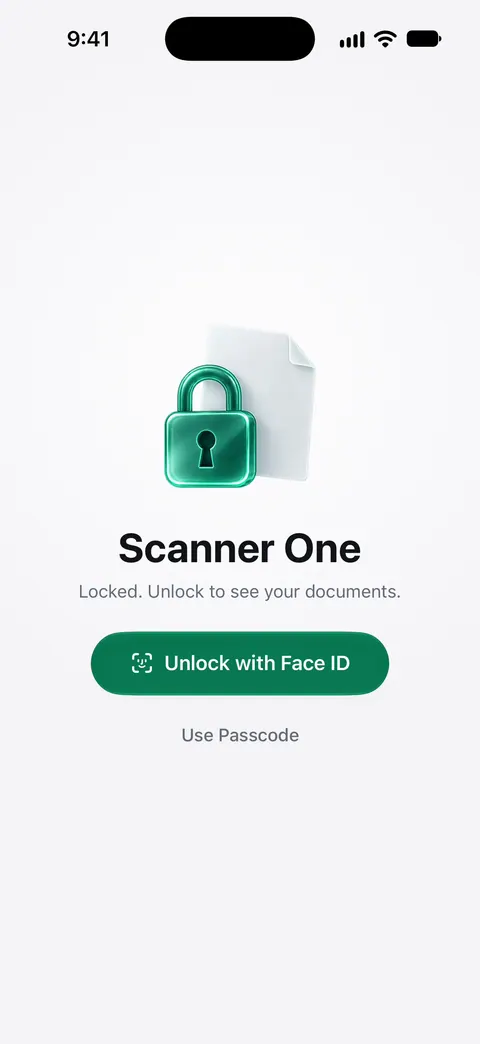
ID cards and passports are scanned with both sides on one printable page. Search looks inside the text of every document and shows the matching line and page. So whoever opens the folder can find “life insurance” without knowing what the policy was called. You can lock the app with Face ID. Documents stay on your iPhone unless you share them or turn on iCloud Sync.
Sharing the folder. Folders can be shared through iCloud. Joining is free; sharing is part of Pro.
What it doesn’t do: it doesn’t replace a will, a lawyer, or the originals your family will be asked for. It doesn’t give anyone access to your Apple account; a Legacy Contact does that.
When the built-in way is enough: a folder in iCloud Drive shared with one person, plus a Legacy Contact and a one-page guide, covers what most families need.
Questions and answers
What documents should my family be able to find?
Your will and any trust, powers of attorney, health care directive, life insurance and other policies, a list of bank, retirement and investment accounts, deeds and vehicle titles, recent tax returns, IDs, and contact details for your lawyer, accountant and financial adviser.
Can my family get into my iPhone and iCloud after I die?
If you add a Legacy Contact, that person can request access to data such as photos, messages, notes and files with the access key and your death certificate. Apple says passwords, passkeys and payment information in iCloud Keychain, and purchased media, are not included.
Is it safe to keep scans of my documents in a shared folder?
Share only with people you’d trust with the originals, set access to people you choose, and use view only if they don’t need to edit. Apple warns that a shared file’s link includes its name, so ask people not to forward it.
Do scanned copies replace the originals?
No. Banks, courts and agencies usually ask for original or certified documents, especially a will or a death certificate. Copies help your family know what exists and where the originals are.
Sources
What this page says about Scanner One was checked against the app on .
- Apple Support, How to add a Legacy Contact for your Apple Account (article 102631) — what a Legacy Contact can and can’t access, the access key and death certificate, Settings path; published 2026-09-14
- iPhone User Guide (iOS 27), Share files and folders in iCloud Drive — share a folder with people you choose, edit or view only, items added are shared automatically; read 2026-11-13
- FTC Consumer Alert, Protecting your personal information: Which documents to keep and which to shred — the keep forever and lock up list; dated 10 June 2025
- Ready.gov, Financial Preparedness — documents to gather and storing them in a safety deposit box, an external drive or the cloud; last updated 13 March 2026
- iPhone User Guide (iOS 27), Set up and view your Medical ID — Medical ID and emergency contacts in the Health app; read 2026-11-13
- Scanner One on the App Store — the app’s own listing
Get Scanner One
Scanner One is free, with generous limits: scanning, clean PDFs and text search never stop.

Scanner OneScan, sign and ask anything
Scanner One is free, with generous limits: scanning, clean PDFs and text search never stop.