
Checklist
Documents for budgeting: what to gather before you redo your budget
Gather your last 2 or 3 pay stubs or other income records, 3 months of bank and credit card statements, one recent bill for each regular cost (rent or mortgage, utilities, phone, internet, insurance), the statements for every loan and card with balances and rates, and a list of subscriptions found in those statements. Add yearly bills such as car registration and insurance premiums, and your free credit report. With these on the table, the CFPB’s spending tracker and bill calendar take an evening.

A budget is only as good as the numbers going into it. Pull these papers together first, on paper or as PDFs in one folder, and the rewrite takes one sitting instead of a month of guessing. You don’t need everything: start with income, statements and bills.
Income
- Pay stubs: the last 2 or 3, showing gross pay, take-home pay and deductions.
- Side income: payment app statements, invoices or 1099 forms.
- Benefit letters: Social Security, pension, disability, child support or unemployment.
- Irregular income: last year’s bonus, commission or tax refund, for planning, not for the monthly line.
Bank and card statements
- Checking and savings: the last 3 months.
- Credit cards: the last 3 months for each card.
- Payment apps and buy now, pay later accounts: the same period.
These show where the money actually went. Mark each line by category as you go.
Regular bills
One recent bill for each:
- Rent or mortgage statement.
- Electricity, gas, water and trash.
- Phone and internet.
- Insurance: car, renters or homeowners, health, life.
- Child care, tuition or school fees.
- Transportation: transit pass, parking, car payment.
Note the due date on each. The CFPB’s bill calendar puts them on one month so you can see the tight weeks.
Debts
- Each loan’s latest statement: car, student, personal and medical payment plans, with the balance, rate and monthly payment.
- Each credit card’s balance, rate and minimum payment.
- Your credit report: free at AnnualCreditReport.com, weekly, from each of the 3 bureaus. It lists accounts you may have forgotten.
Add up the monthly payments and divide by your gross monthly income: that’s your debt-to-income ratio, the figure lenders look at too.
Subscriptions and auto-renewals
- Every repeating charge in your statements: streaming, apps, software, memberships, delivery plans, cloud storage.
- Free trials about to convert: with the date to cancel.
- Annual renewals: from last year’s statements, since they don’t show up monthly.
The FTC suggests checking statements regularly for charges you didn’t expect, and keeping a copy of every cancellation request with notes of the calls.
Yearly and irregular costs
- Car registration and inspection.
- Property tax and HOA dues.
- Insurance premiums paid once or twice a year.
- Holidays, birthdays and school costs.
- Medical and dental bills: last year’s total, as a guide.
Divide each yearly total by 12 and set that aside monthly.
Savings and goals
- Savings account statements: what you have now.
- Retirement account statements: what goes in from each paycheck.
- The goal: an emergency fund, a down payment, a debt paid off, with a target date.
Putting it together
The CFPB’s free tools follow the same order: an income and benefits tracker, a spending tracker, a bill calendar and a cash flow budget. Print them, or copy the categories into a spreadsheet. If your bank lets you download statements as PDFs, turning a PDF into an Excel sheet saves typing.
Mistakes in a budget review
- Using take-home pay for some lines and gross pay for others.
- Leaving out yearly bills, then being surprised by them.
- Counting only big subscriptions and missing the small ones that add up.
- Budgeting from one unusual month.
Scan and keep them safely
Paper bills and statements are easier to sort as PDFs. Scan a month’s bills into one file with scan several pages into one PDF. When you’re done, how long to keep bank statements and how long to keep utility bills tell you what you can shred, and a year of household paperwork helps you keep the bills on time.
Where Scanner One helps, and where it doesn’t
If your bank and billers send PDFs already, you may not need a scanner at all: download them into one folder in the Files app.
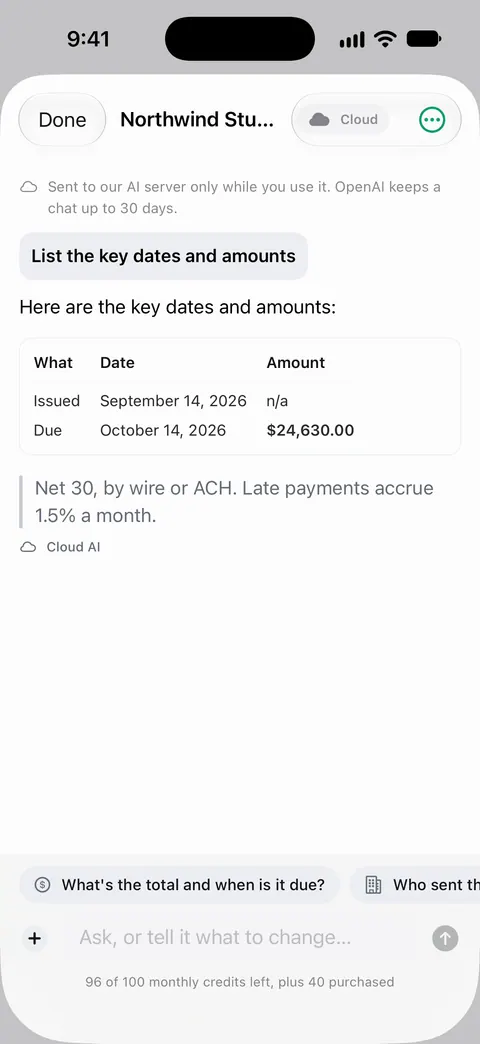
Scanner One helps with paper bills and with pulling numbers out. Scanner One exports to Word, keeping headings, lists and tables, and to Excel and CSV. Free accounts can run these exports 3 a week. Ask your documents anything. When does the lease end? What did I spend at the shop? The answer comes back with the page it came from. Free accounts can ask 3 questions a day. Search looks inside the text of every document and shows the matching line and page. Documents stay on your iPhone unless you share them or turn on iCloud Sync.
Needs You gathers bills due, return windows and IDs about to expire on Home, from your own papers.
Scanner One isn’t a budgeting app: it doesn’t connect to your bank, categorize spending or track a budget over time.
Questions and answers
How many months of statements do I need for a budget?
Three months is a good minimum: it evens out a heavy month and catches bills that come every other month. Add a full year of card statements if you want to find yearly charges like renewals and memberships.
How do I find all my subscriptions?
Go through 3 months of bank and card statements line by line and mark every repeating charge, including small ones. Check the subscription list in your phone’s app store account too. Cancel what you don’t use and keep a copy of each cancellation request.
Do I need my credit report for a budget?
It’s the one place that lists every loan and card in your name, so it catches a forgotten account. It’s free from AnnualCreditReport.com, and you can check it weekly.
Sources
What this page says about Scanner One was checked against the app on .
- CFPB, Your Money, Your Goals: tools — the spending tracker, bill calendar, income and benefits tracker and cash flow budget; last modified 2026-04-24
- FTC, Getting out of free trials, auto-renewals and negative option subscriptions — checking statements for subscriptions, keeping cancellation records, disputing charges; page dated September 2024
- FTC, Free credit reports — free weekly reports from AnnualCreditReport.com, imposter sites; page dated June 2026
- CFPB, What is a debt-to-income ratio? — monthly debt payments divided by gross monthly income; last modified 2023-08-30
- Scanner One on the App Store — the app’s own listing
Get Scanner One
Scanner One is free, with generous limits: scanning, clean PDFs and text search never stop.

Scanner OneScan, sign and ask anything
Scanner One is free, with generous limits: scanning, clean PDFs and text search never stop.