
Comparison
Scanner apps with no watermark on your scans
Apple’s Notes, Files and Preview scan to PDF with nothing to buy, and Apple’s steps mention no watermark. Genius Scan’s developer says its free Basic plan produces documents without any watermark. Readdle lists watermark-free scans as a Scanner Pro Plus feature, and Prizmo’s one-time Premium Pack includes watermark removal. Scanner One, our app, puts a small label on pages shared from a free account; Pro removes it.

Scanner One is our app, and its free version does add a small label to pages you share. We include it so you can see exactly where it stands. Facts about other apps come from their developers’ own pages, read on November 13, 2026.
Why a scanner adds a mark
A watermark on a free scan is advertising: every page you send names the app. Developers then sell its removal as part of a paid plan. It matters most when the page goes to someone formal, like a landlord, a bank or an employer, and hardly at all for scans you keep.
We only say an app marks or doesn’t mark pages when its developer says so on a page we could read. Where the developer’s pages are silent, we say that instead of guessing.
Who marks, who doesn’t
Checked on November 13, 2026.
| App | Free scans marked? In the developer’s words | How to get unmarked pages | What that costs (US) |
|---|---|---|---|
| Notes, Files, Preview (Apple) | No mark mentioned in Apple’s steps | Use them as they are | Nothing |
| Genius Scan | No: Basic “produces full resolution documents without any watermark” | Use the free Basic plan | Nothing |
| Scanner Pro | Watermark-free scans are listed as a Plus feature | Scanner Pro Plus, by the week or year | Plus purchases listed from $3.99 to $59.99 |
| Prizmo | Watermark removal is part of the Premium Pack | The one-time Premium Pack | $23.99 once |
| CamScanner | Yes, per its 2022 blog: “scanned by CamScanner” | Remove watermark at export (US basic accounts, per 2022 blog), or Premium | Premium listed at $9.99 a week, $9.99 a month or $59.99 a year |
| Scanner One (ours) | Yes: a small “Scanned with Scanner One” label at the bottom right | Pro | $4.99 a month, $29.99 a year or $59.99 once |
Each app, honestly
Apple’s scanner: nothing added, nothing to buy
In Notes, tap the Attachment button, then Scan Documents; in Files, tap the More button, then Scan Documents and choose where to Save. On iOS 26 and 27, Preview’s start screen has Scan Documents too. Apple’s steps describe no watermark and there is no paid tier. If unmarked pages are all you need, start here: scan with the Notes app.
Genius Scan: free and unmarked
This is the one app whose developer says it plainly: the pricing page says Basic has no limit on the number of documents and produces full resolution documents without any watermark. A Grizzly Labs help article from April 2024 says the same, “no document limits, no watermarks”. Text recognition and cloud exports are in Ultra, at $39.99 a year, but you don’t need Ultra for clean pages.
Scanner Pro: unmarked with Plus
Readdle’s help page lists “watermark-free scans: doesn’t add any unnecessary watermarks to your scans” among the features of Scanner Pro Plus, sold as a 1-week or 1-year plan. Its App Store description also says you can share unlimited scans by email or with any app for free. Pick it if you’ll pay for Plus anyway for OCR and auto-upload.
Prizmo: unmarked once you buy the pack
Prizmo’s App Store description lists watermark removal in the Premium Pack, which it calls a one-time purchase that unlocks all limitations; the in-app purchase list shows Premium Pack (non-recurring) at $23.99. Pick it if you want clean pages and never another subscription.
CamScanner: it depends on your account
CamScanner’s blog wrote on November 22, 2022 that scans from the free app carry a “scanned by CamScanner” watermark, and that American iOS and Android basic accounts could now remove it at export without a subscription. Its current App Store page doesn’t say either way, so check your export screen for a remove watermark option. Otherwise Premium removes it. More options in CamScanner alternatives.
Scanner One: a small label on free, none on Pro
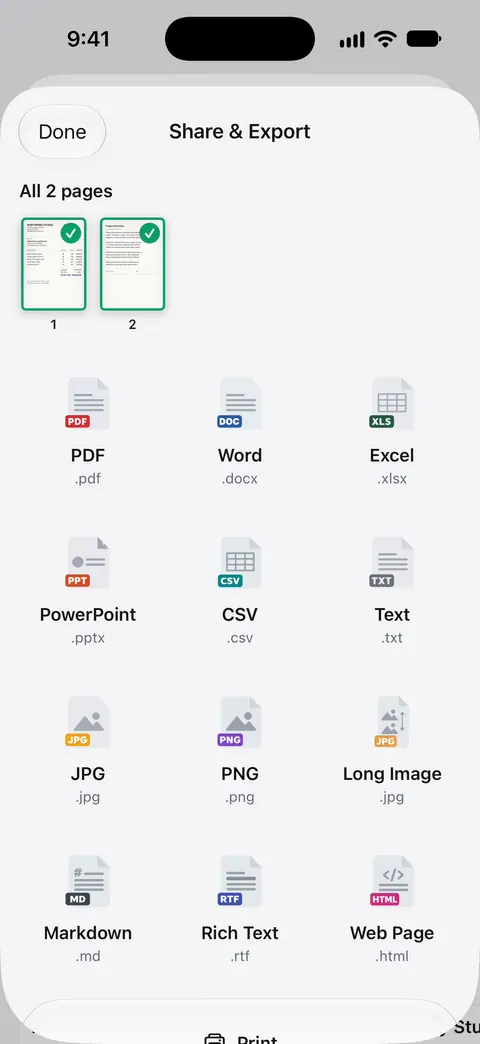
On a free account, pages you share, print or export carry a small “Scanned with Scanner One” label at the bottom right. Pro removes it. Pro means no ads and no watermark. The label is small and sits in the corner, but it is there, and we would rather you know before you send a lease with it.
How to check any app in two minutes
- Scan one plain page, like a printed letter.
- Share or export it as a PDF to the Files app, the way you would send it.
- Open the PDF in Files and zoom into all four corners and the bottom edge, where marks usually sit.
- Print preview it too, if you print, since some apps mark printed and exported pages.
If you see a mark, the app’s paywall or settings will say what removes it.
Where Scanner One helps, and where it doesn’t
Scanner One is not the app for unmarked pages on a free account. On a free account, pages you share, print or export carry a small “Scanned with Scanner One” label at the bottom right. Pro removes it. If that is your one requirement, use Genius Scan Basic or Apple’s built-in scanner, and you are done.
Where it does help, if you are willing to pay: Pro means no ads and no watermark. Pro removes every limit. Scanner One Pro Lifetime is a one-time purchase of $59.99 in the US. Scanner One Pro costs $29.99 a year in the US, with a one-week free trial. And on the free version, the reading features don’t depend on paying: Text recognition runs on every page for everyone, free or Pro. See what Scanner One’s free version includes, or compare more free apps in the best free scanner apps.
Questions and answers
Does the iPhone’s built-in scanner add a watermark?
Apple’s steps for Notes and Files describe scanning, keeping and saving the PDF and mention no watermark, and there is nothing to buy. Scan a test page and look at its corners if you want to see for yourself.
Does Scanner One add a watermark?
On a free account, yes: On a free account, pages you share, print or export carry a small "Scanned with Scanner One" label at the bottom right. Pro removes it.
Can I remove a scanner app’s watermark without paying?
Sometimes. CamScanner’s blog said in November 2022 that US basic accounts could remove its watermark at export without a subscription. For most apps, the clean way is to use a scanner whose free version adds no mark, such as Genius Scan Basic or the built-in one.
I want to add my own watermark, like CONFIDENTIAL. How?
That is a different job: stamping a PDF on purpose. Our guide to adding a watermark to a PDF covers it, including the free options.
Sources
What this page says about Scanner One was checked against the app on .
- The Grizzly Labs, Genius Scan pricing — Basic produces full resolution documents without any watermark; read 2026-11-13
- Readdle Support, Use Scanner Pro for free or subscribe — watermark-free scans listed as a Plus feature; no date on the page
- Prizmo on the App Store — watermark removal as part of the one-time Premium Pack; read 2026-11-13
- CamScanner blog, CamScanner Unlocks an Advanced Feature to American IOS and Android Users — the 'scanned by CamScanner' watermark and its removal for US basic accounts; post dated 2022-11-22
- Apple Support, How to scan documents on your iPhone or iPad — Notes and Files scanning steps; page published 2026-02-13
- Scanner One on the App Store — the app’s own listing
Get Scanner One
Scanner One is free, with generous limits: scanning, clean PDFs and text search never stop.

Scanner OneScan, sign and ask anything
Scanner One is free, with generous limits: scanning, clean PDFs and text search never stop.