
Comparison
The best free scanner apps for iPhone, and the catch in each
The best free scanner is often the one already on your iPhone: Notes, Files and, on iOS 26 and later, Preview scan to PDF at no cost. Among apps, Genius Scan’s free Basic plan has no document limit and no watermark, per its developer. Adobe Scan and OneDrive are free but keep scans in their clouds, and Adobe caps free text recognition at 5 pages. Scanner One, our app, has a free version with limits, and it puts a small label on pages you share.

Scanner One is our app, and it has a free version, so it is on this list. Its free version has limits and marks shared pages; both are spelled out below. Facts about other apps come from their own App Store pages and developer sites, read on November 13, 2026.
What “free” means for a scanner app
Free scanner apps make money somehow, and the catch tells you more than the feature list. In the apps below, the catch is one of four things:
- A cap: a number of pages, documents or uses before you pay.
- A mark: a watermark or label on pages you send.
- A cloud: scans saved to the developer’s online storage, which is free up to a size.
- Features held back: text recognition, cloud exports or PDF tools in the paid plan.
None of these is wrong. You just want the one you can live with.
The free scanners compared
Checked on November 13, 2026.
| App | What is free, per its developer | Watermark on free pages, per the developer | Where scans go | Data used to track you |
|---|---|---|---|---|
| Notes, Files, Preview (Apple) | All of it | Not mentioned in Apple’s steps | Notes or a folder in Files | Part of iOS |
| Genius Scan | Basic: no document limit; OCR is in Ultra | No | On the phone unless you export | None |
| Adobe Scan | Free to download; OCR up to 5 pages | Not stated | Adobe Document Cloud, automatically | Identifiers |
| Microsoft OneDrive | Scanning and 5 GB of storage | Not stated | OneDrive only, not on the device | None |
| SwiftScan AI | “Free, high-quality PDF or JPG scans” | Not stated | Your device or your chosen cloud | Contact Info, Identifiers, Usage Data |
| Scanner One (ours) | Scanner One is free, with generous limits: scanning, clean PDFs and text search never stop. | Yes: “Scanned with Scanner One”; Pro removes it | Documents stay on your iPhone unless you share them or turn on iCloud Sync. | No account, no tracking |
Each free option, honestly
Notes, Files and Preview: free and already installed
In Notes, open a note, tap the Attachment button, then Scan Documents. In Auto mode the page captures itself; tap Done when you have them all, and the scan is saved as a PDF in the note. In Files, tap the More button, then Scan Documents, and choose a folder before you tap Save. On iOS 26 and 27, open Preview and tap Scan Documents; tap Auto to switch to Manual if you want to press the shutter yourself.
The catch is the lack of extras: you name and file every scan yourself. For a few pages a month that is no catch at all. Step-by-step: scan with Notes and scan with Files.
Genius Scan: the most generous free app
The Grizzly Labs’ pricing page says Basic is free and fully functional, has no limit on the number of documents, and produces full resolution documents without any watermark. Its help center says the basic version has no ads. The catch is in what is held back: text recognition, cloud exports and sync are in Ultra at $39.99 a year.
Pick it if you scan often and send scans to other people.
Adobe Scan: free, with Adobe’s cloud
Adobe Scan is free to download and its description lists business cards, whiteboards, a Magic eraser and export to Word, Excel or PowerPoint. The catches, from the same description: free text recognition stops at 5 pages (100 with a subscription), combining scans into one file is a subscription feature, and scans are saved to Adobe Document Cloud automatically.
Pick it for short documents if you already have an Adobe account.
Microsoft OneDrive: free if you live in Microsoft 365
Microsoft recommends OneDrive’s scanner now that Lens is retired. Tap the + button, choose Scan photo, and save the scan to a folder in OneDrive. The App Store page says OneDrive starts with 5 GB of free storage. The catch is Microsoft’s own note: OneDrive does not save scans locally on your device. It also needs iOS 26.0.
Pick it if your files already live in OneDrive.
SwiftScan AI: free scans, with a longer label
SwiftScan AI’s description says you can create free, high-quality PDF or JPG scans, and says the developer never stores or saves your documents. Its privacy label lists Contact Info, Identifiers and Usage Data as used to track you, and its VIP and Plus subscriptions run from $5.99 a month. Pick it if you want a free scanner with a fax option and the label doesn’t bother you.
Scanner One: generous, with limits and a label
Scanner One is free, with generous limits: scanning, clean PDFs and text search never stop. Text recognition runs on every page for everyone, free or Pro. Search looks inside the text of every document and shows the matching line and page.
The limits on the free version, all of them:
- Free accounts get smart filing for 10 documents a month.
- Free accounts can sign and mark up 3 documents a month.
- Free accounts can use Clean Up, the smart eraser, on 3 documents a month.
- Free accounts can run the PDF tools and the Word, Excel and CSV exports 3 times a week, from one shared allowance.
- Free accounts can ask the on-device AI 3 questions a day.
- On a free account, pages you share, print or export carry a small “Scanned with Scanner One” label at the bottom right. Pro removes it.
Pick this if
- You scan a few pages a month: Notes or Files.
- You send scans to other people and won’t pay: Genius Scan Basic, or the built-in scanner. Both leave your pages unmarked as far as their developers’ pages describe.
- You need the text in your scans for free: Preview’s Embed Text on iOS 26 and later, or Scanner One.
- Your files live in Microsoft 365: OneDrive.
Where Scanner One helps, and where it doesn’t
The free version is useful if you keep your scans and want them read, searched and filed: Text recognition runs on every page for everyone, free or Pro. Free accounts get smart filing for 10 documents a month. Scanner One needs no account and does no tracking.
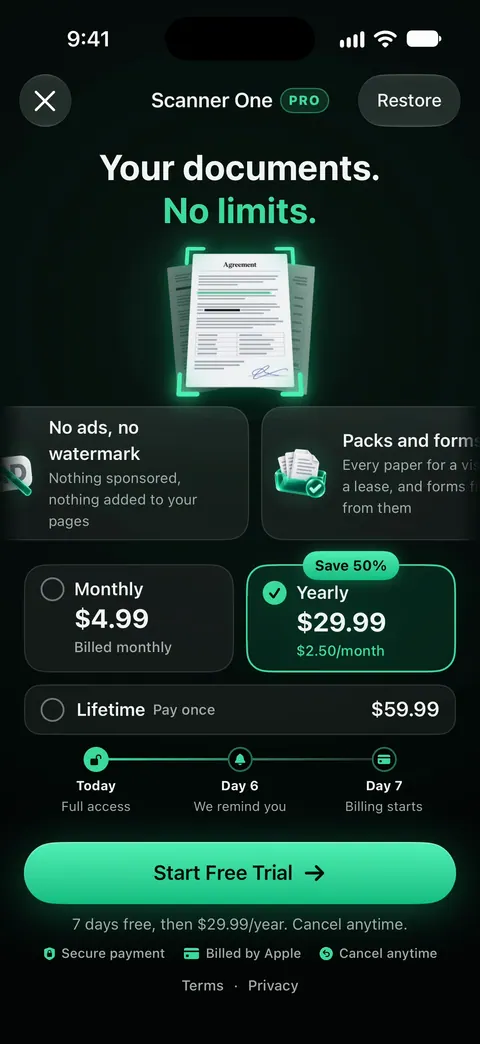
It is the wrong free pick if you mainly send scans to other people. On a free account, pages you share, print or export carry a small “Scanned with Scanner One” label at the bottom right. Pro removes it. The PDF tools and Word exports share one allowance on the free version, and signing is capped. Pro removes every limit. Scanner One Pro costs $29.99 a year in the US, with a one-week free trial. If you want unmarked pages without paying, use Genius Scan Basic or the built-in scanner. Our page on scanner apps that don’t mark your scans goes further, and Scanner One free and Pro lists every limit.
Questions and answers
Is there a completely free scanner app for iPhone?
Yes: the scanner in Notes and Files is part of iOS, and Preview adds one on iOS 26 and later. Among apps, Genius Scan’s pricing page says its Basic plan is free and fully functional, with no document limit and no watermark.
Which free scanner apps add a watermark?
Developers rarely say. Of the apps here, Scanner One’s free version adds a small 'Scanned with Scanner One' label to pages you share, print or export, and Pro removes it. Readdle lists watermark-free scans as a Scanner Pro Plus feature. Genius Scan says Basic adds none.
Does Scanner One’s free version have limits?
Yes. Scanner One is free, with generous limits: scanning, clean PDFs and text search never stop. Free accounts can run the PDF tools and the Word, Excel and CSV exports 3 times a week, from one shared allowance. Free accounts can sign and mark up 3 documents a month. Free accounts can ask the on-device AI 3 questions a day.
Can a free scanner app make searchable PDFs?
Preview can on iOS 26 and later, with Embed Text when you export. Adobe Scan recognizes up to 5 pages for free, per its description. In Scanner One: Text recognition runs on every page for everyone, free or Pro. Genius Scan keeps OCR for its paid Ultra plan.
Sources
What this page says about Scanner One was checked against the app on .
- Apple Support, How to scan documents on your iPhone or iPad — Notes and Files scanning steps; page published 2026-02-13
- Apple iPhone User Guide, Scan text and documents in Preview — Preview’s Scan Documents steps; guide for iOS 26 and 27
- The Grizzly Labs, Genius Scan pricing — Basic: free, no document limit, no watermark; read 2026-11-13
- Adobe Scan on the App Store — free to download, OCR 5 to 100 pages with a subscription, Adobe Document Cloud; read 2026-11-13
- Microsoft Support, Retirement of Microsoft Lens — OneDrive scanning steps, and that OneDrive does not save scans locally; no date on the page
- Scanner One on the App Store — the app’s own listing
Get Scanner One
Scanner One is free, with generous limits: scanning, clean PDFs and text search never stop.

Scanner OneScan, sign and ask anything
Scanner One is free, with generous limits: scanning, clean PDFs and text search never stop.