
Guide
Scan a birth certificate, and know when a scan is enough
A scan is accepted where an office asks you to upload or mail a copy, such as many school, employer and USCIS filings. It is not accepted where they ask for the original or a certified copy: Social Security, for example, says it cannot accept photocopies or notarized copies. To scan one, lay it flat in soft side light, use Scan Documents in Notes, Files or Preview, keep it in color, include every edge and the seal, and add the back if anything is printed there.

This page is general information, not legal or immigration advice. Rules about copies differ by office and change. Check the official instructions for the form you are filing.
Birth certificates turn up in passport, school, REAL ID, Social Security and immigration paperwork. This page is about the scan itself and whether it will do. For the full list of papers each application needs, see the first US passport checklist and the REAL ID documents list.
When a scan is enough, and when it isn’t
Most refusals happen because someone sent a copy where the office wanted the original, or the reverse. The office’s own instructions decide. In general:
| The request says | What to send | Example |
|---|---|---|
| “Upload a copy” or “attach a copy” | A clear scan, as a PDF | School enrollment portals, many employer and benefits forms |
| “Submit legible copies; do not send originals” | A printed or uploaded scan | USCIS forms filed by mail |
| “Original or certified copy” | The certified paper itself; a scan is useless here | A Social Security card application |
| “Original and a photocopy” | The certified paper plus a copy, often to a set paper size | A US passport application |
Two official examples make the difference plain. USCIS asks for legible copies, warns not to send originals unless the instructions ask for them, and says it may destroy originals it did not request. Social Security, for a card application, says the opposite: you must present original documents or copies certified by the agency that issued them, and it cannot accept photocopies or notarized copies.
Certified copy, photocopy, scan: the difference
- A certified copy is issued by the vital records office of the state where you were born. It usually carries a seal and a registrar’s signature. This is what most people mean by “my birth certificate”.
- A photocopy or scan is a picture of that paper. It shows what the certificate says but proves nothing on its own.
- A notarized copy is a photocopy with a notary’s stamp. For birth certificates it is generally not a substitute for a certified copy.
The longer explanation is in what a certified copy is. If you can’t find yours, order a certified copy from your birth state’s vital records office: USAGov explains the process, and the CDC lists every state’s office. The federal government itself doesn’t issue birth certificates.
Scan a birth certificate on iPhone
A birth certificate is a single page, often on textured security paper with a raised or printed seal. The aim is a copy that shows all of it, readable, in its true colors.
- Unfold it and flatten it under a book for a few minutes if it has been folded. Don’t iron or laminate it.
- Lay it on a plain, dark surface in soft light from a window. Light from the side, not straight above, makes a raised seal show as a faint relief instead of disappearing.
- Start a scan. In Notes, tap the Attachments button in a note, then Scan Documents. In Files, tap the More button, then Scan Documents. In Preview (iOS 26 and later), tap Scan Documents.
- Turn the flash off. It flattens the seal and can bounce off glossy security paper.
- Hold the iPhone directly above the page, parallel to it. If Auto mode crops into the border, switch to manual capture (in Preview, tap Auto so it reads Manual), tap the Shutter button and drag the corners just outside the paper’s edges.
- Tap Keep Scan. If anything is printed or stamped on the back, turn it over and scan that too.
- Tap the Done button, and in Files choose a folder and tap Save.
What to check on the result
- All four edges. Offices look at the borders and the certificate number. A copy cut off at the edge is a common reason to ask again.
- The seal and signature. Zoom in. If the seal is invisible, rescan with the light coming from one side.
- Color. Leave the filter on color. Black-and-white filters turn the security background into gray noise and can wash out stamps.
- Every word legible, including parents’ names and the date filed. Small type on older certificates blurs first.
Old or fragile certificates
Older certificates are sometimes on thin paper, typed, or a photostat with white text on black. Scan them in color without trying to “clean” them: a cleaned-up copy can look altered. If the paper is curled, hold the edges down with two fingertips outside the frame. More on faded paper in scanning faded or old documents.
Sending the scan
- Name it plainly, such as “Birth certificate, Maria Lopez, certified copy scan”. If you are filing for a child, put the child’s name in it.
- Check the size limit. Upload portals often cap files. A single color page is usually small, but if it is rejected, see making a PDF under a size limit.
- Foreign certificates need an English translation for USCIS, with the translator’s certification that it is complete and accurate. Scan the original and the translation into one PDF so they stay together. For online immigration filings, see scanning documents for USCIS online filing.
- Keep the scan private. A birth certificate holds your full name, date and place of birth and your parents’ names, a combination often used to check identity. Send it only where it is asked for.
Where Scanner One helps, and where it doesn’t
The built-in scanners handle a single page well, and for one certificate they are enough. Scanner One helps when the certificate is one of a stack you’re scanning for an application.
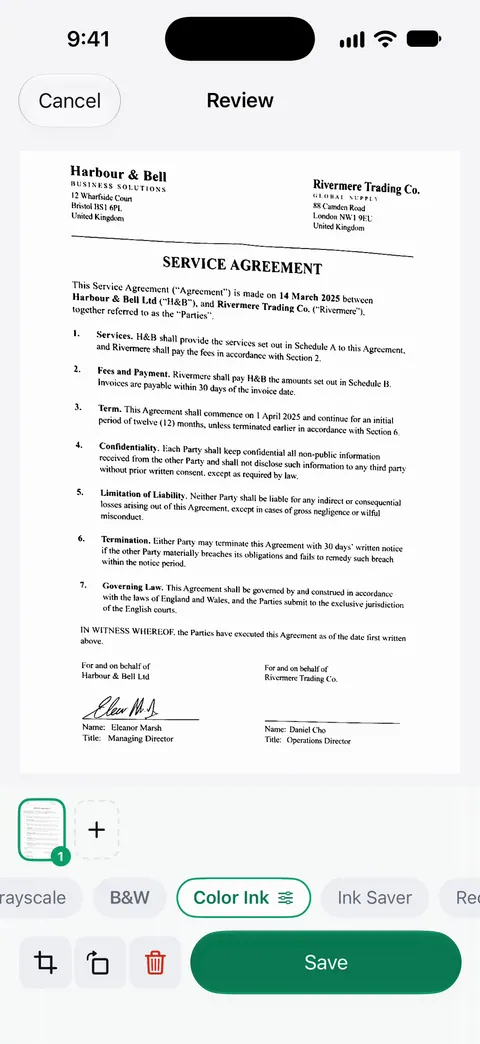
Scanner One finds the edges of the page automatically and corrects the perspective. Scans come with Auto Clean, Color, Grayscale and Receipt filters. Use Color for a certificate; Auto Clean is meant for ordinary printed pages. Scanner One makes searchable PDFs. That means you can later find the certificate by a name on it. A scan can have many pages, and you can reorder them.
The limits: On a free account, pages you share, print or export carry a small “Scanned with Scanner One” label at the bottom right. Pro removes it. For an official upload, that label is something to consider; Pro removes it. Documents stay on your iPhone unless you share them or turn on iCloud Sync.
Gathering the rest of the papers. Packs: say what you’re applying for, like a visa, a lease or your taxes, and see which papers you have and what’s missing.
What it doesn’t do: no app can turn a scan into a certified copy, and none can tell you whether an office will accept a copy. Only the office’s instructions can. For the certified paper itself, go to your birth state’s vital records office.
Questions and answers
Can I use a scanned copy of my birth certificate for a passport?
Not on its own. The instructions for Form DS-11, the first US passport application, ask for an original or certified copy of the birth certificate and a photocopy of it. Check the form’s current instructions before you print your scan.
Is a notarized copy of a birth certificate the same as a certified copy?
No. A certified copy is issued by the vital records office that holds the record. A notary can’t certify a birth certificate, and Social Security, for one, says it cannot accept notarized copies.
Should I scan my birth certificate in color?
Yes. Color shows the seal, the security paper and any stamps, and an office judging a copy expects it to look like the original. You can always print a color scan in black and white if a form asks for that.
Do I need to scan the back of my birth certificate?
Only if something is printed, stamped or written on it, such as an amendment, a registrar’s note or an apostille. If the back is blank, the front is enough.
Where do I get a certified copy of my birth certificate?
From the vital records office of the state or territory where you were born. The CDC keeps a directory of every state’s office. For a US citizen born abroad, the Consular Report of Birth Abroad serves the same purpose.
Sources
What this page says about Scanner One was checked against the app on .
- Social Security, Learn what documents you will need to get a Social Security card — original documents or copies certified by the issuing agency; no photocopies or notarized copies; read 2026-11-13
- USCIS, Tips for filing forms by mail — submit legible copies, do not send originals unless requested, English translations; last updated 2026-07-10
- USAGov, How to get a certified copy of a U.S. birth certificate — certified copies come from the birth state’s vital records office; CRBA for births abroad; last updated 2025-11-17
- U.S. Department of State, Form DS-11 and its instructions — proof of citizenship: submit an original or certified copy and a photocopy; read 2026-11-13
- CDC National Center for Health Statistics, Where to write for vital records — directory of state vital records offices; the federal government does not issue certificates; last reviewed 2022-08-15
- Apple Support, Scan documents on your iPhone or iPad (article 108963) — Notes and Files scanning steps, flash and filters on iOS 26; page dated 2026-02-13
- iPhone User Guide (iOS 27), Scan text and documents in Preview — Preview scanning, manual capture, adjusting the coloring of a scan; read 2026-11-13
- Scanner One on the App Store — the app’s own listing
Get Scanner One
Scanner One is free, with generous limits: scanning, clean PDFs and text search never stop.

Scanner OneScan, sign and ask anything
Scanner One is free, with generous limits: scanning, clean PDFs and text search never stop.