
Guide
What to do with your kids' schoolwork at the end of the year
Empty the backpack and folders onto one table. Set aside the official papers (report cards, test results, certificates, plans from the school) and keep those originals in one folder. From the rest, let your child pick a few favorite pieces to keep as paper, scan the best of what’s left into one PDF per subject or per term, and recycle the remainder. File the scans by grade, like Maya, Grade 3, 2025-26.

This page is about the stack of worksheets, notebooks, tests and projects that comes home in June. For drawings and paintings, see digitizing your kids’ artwork, which covers color, glitter and big sheets. For the forms a new school year needs, see when your child starts school.
Do it in one sitting, with your child
The end of the year is the one time you can see the whole year at once. An hour on a weekend morning is usually enough for one child.
- Empty everything onto one table: backpack, cubby bag, take-home folders, the pile on the fridge.
- Make four piles: Official, Keep as paper, Scan, Recycle.
- Let your child choose. Kids are often happy to let most of it go once they’ve picked their favorites, and they remember the year better for having looked through it.
Pile 1: official papers, kept as originals
These aren’t keepsakes, they’re records. Put the originals in one folder for the child and scan a copy:
- Report cards and progress reports
- Standardized test results and reading or math assessments
- Awards and certificates
- Plans and evaluations from the school, such as an individual education plan or a 504 plan, and meeting notes
- Letters from the school about placement, attendance or next year’s class
You may need these for a new school, a program application or a meeting next year. A scan on your phone helps when someone asks at short notice, but keep the paper.
Pile 2: a few originals, chosen by your child
Agree on a number, such as five to ten pieces a year. Good candidates: the story they’re proud of, a test after a hard-won improvement, a handwritten letter, the first page of cursive. These go in a keepsake box, one large envelope per year.
Pile 3: scan the record of the year
This is what shows how your child grew: early and late writing samples, a math test from September and one from May, a science project write-up, a favorite worksheet.
- Sort by subject or by term first. One stack per scan.
- Remove staples and flatten pages. Lay them on a dark table in good light.
- In Notes or Files, tap Scan Documents, and scan the whole stack as one document: keep capturing, then tap the done button. In Files, choose the folder and tap Save.
- Use color for anything with colored pencil or stickers, grayscale for plain worksheets.
- Whole notebooks: scan the pages you love, not every page. Scanning a whole notebook helps if you do want all of it.
Scanning several pages into one PDF has more on multipage scans.
Pile 4: recycle without guilt
Once a piece is scanned or has been admired, it can go. Recycle out of sight, or after the kids are in bed, if letting go is hard for them. Shred anything with your child’s full name, birth date, school ID or address on it.
File it so you’ll find it in ten years
One folder per child, then one per school year:
- Maya, Grade 3, 2025-26
- Maya, Grade 4, 2026-27
Inside, name files by subject and term: Grade 3 Writing fall, Grade 3 Math spring tests, Grade 3 Report cards. In the Files app, create folders with New Folder, rename with Rename, and mark the current year as a Favorite so it’s one tap away.
Share it with family
Grandparents love this part. In Files, put the year’s folder in iCloud Drive, touch and hold it, tap the share button, and choose Share a Link. Set access to people you choose and permission to view only. Apple notes that items you add to a shared folder are shared automatically, so new scans show up for them without another message.
Make a yearly book
At the end of each year, pick ten or twenty of the best scans and combine them into one PDF called Maya Grade 3 yearbook. Over twelve years, that’s a short book of how your child learned to write, count and think, and it takes up no shelf space.
Make next June easier
- A tray by the door. Everything that comes home goes in one tray, not on the counter.
- A monthly ten minutes. On the first weekend of each month, scan the pieces worth keeping and recycle the rest. June then takes minutes.
- Scan official papers the day they arrive. Report cards and school letters go straight into the year’s folder, and the paper into the child’s folder.
- Photograph the big projects. A diorama or poster won’t fit in any box. A photo, added to the year’s folder, keeps the memory without the cardboard.
Where Scanner One helps, and where it doesn’t
A scan can have many pages, and you can reorder them. Then it reads the text, names the document, tags it and puts it in the right folder. That saves typing a name for each stack. Book spreads are split into two pages and curved lines are flattened. That helps with workbooks and bound notebooks that won’t lie flat.
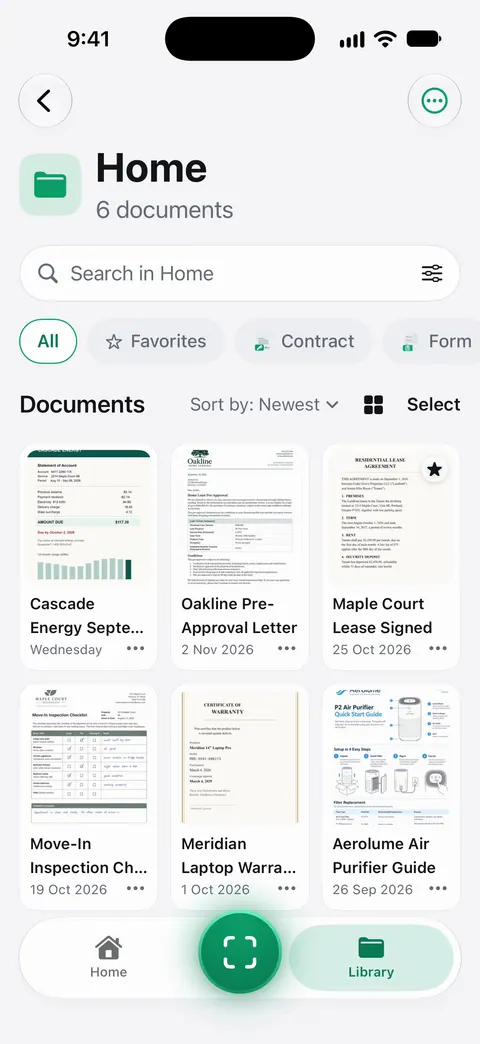
Search looks inside the text of every document and shows the matching line and page. So the story about the dragon is a search away, years later. The PDF tools merge, split, compress, password-protect, add page numbers and watermarks, and extract text. Merge is handy for the yearly book.
Free limits: Free accounts get smart filing for 10 documents a month. Free accounts can run the PDF tools and the Word, Excel and CSV exports 3 times a week, from one shared allowance. Scanning isn’t limited.
Share the year with family. Folders can be shared through iCloud. Joining is free; sharing is part of Pro.
What it doesn’t do: it can’t decide what to keep, and it won’t replace the official originals. That part is a conversation with your child.
When the built-in way is enough: Notes or Files, a folder per grade and the four piles above are all most families need.
Questions and answers
How much of my child’s schoolwork should I keep?
Far less than comes home. A common rule is a handful of originals a year that your child chooses, scans of the pieces that show progress, and the official papers. The rest can go once it’s scanned or once everyone has seen it.
Which school papers should I keep as originals?
Report cards, standardized test results, awards and certificates, and any plans or evaluations from the school. You may be asked for them later, and a scan doesn’t replace a signed or official copy.
Should I scan worksheets one page at a time?
No. Scan a stack as one document: keep capturing pages, then tap done. One PDF per subject or per term is far easier to browse than hundreds of single pages.
How do I share the scans with grandparents?
Put the year’s folder in iCloud Drive and share it from the Files app with people you choose, as view only. They see new scans as you add them.
Sources
What this page says about Scanner One was checked against the app on .
- Apple Support, How to scan documents on your iPhone or iPad (article 108963) — scan in Notes or Files, Auto mode, add more scans to the document, choose a location and save; published 2026-02-13
- iPhone User Guide (iOS 27), Scan text and documents in Notes — scan additional pages, saved as a PDF in the note; read 2026-11-13
- iPhone User Guide (iOS 27), Organize files and folders in Files — New Folder, Rename, Tags, Favorite; read 2026-11-13
- iPhone User Guide (iOS 27), Share files and folders in iCloud Drive — share a folder with people you choose, view-only or edit; read 2026-11-13
- Scanner One on the App Store — the app’s own listing
Get Scanner One
Scanner One is free, with generous limits: scanning, clean PDFs and text search never stop.

Scanner OneScan, sign and ask anything
Scanner One is free, with generous limits: scanning, clean PDFs and text search never stop.