
Who it’s for
Scanning forms and notes on iPhone for nurses and caregivers
If you work for a hospital, clinic or agency, patient information belongs in your employer’s systems: HIPAA applies to covered providers and their workforce, so follow your employer’s device policy and don’t scan patient papers to a personal phone unless it allows that. Your own papers, such as licenses, CE certificates and pay stubs, are yours to scan. Family caregivers can scan a relative’s insurance cards, medication lists and visit summaries with Notes or Files and lock them away.

This page has two parts, because the rules differ: nurses and other health workers dealing with patients’ papers at work, and family caregivers keeping a relative’s papers at home. For your own medical records, see keep medical records on iPhone.
At work: patient papers belong to the employer’s system
The CDC’s summary of HIPAA explains who it covers: health care providers that transmit health information electronically for things like claims, health plans and clearinghouses, all called covered entities, and the business associates that handle health information for them. Health information they hold about a patient is protected health information, and the Security Rule protects the electronic kind.
What that means for a nurse with an iPhone:
- Your employer decides which devices and apps may hold patient information. Many facilities don’t allow personal phones for it at all.
- Don’t scan patient papers to a personal phone unless the written policy says you may, and with which app.
- Don’t photograph charts, whiteboards or wristbands for your own reference.
- Ask compliance or IT before trying a new app for anything that touches patients.
This page is general information, not legal advice or a compliance review. HIPAA, state privacy laws and employer policies change and differ; your employer’s compliance team and the official pages under Sources have the final word.
At work: your own papers are yours
Health workers carry plenty of paperwork that is only about themselves, and that is a good fit for a phone:
- Nursing license and certifications (BLS, ACLS, PALS) with expiry dates.
- Continuing education certificates for license renewal.
- Immunization and TB test records that employers and agencies ask for.
- Pay stubs, shift differentials and timesheets.
- Uniform and equipment receipts, and travel nurse housing and mileage records.
Scan each one when you get it, name it with what it is and its expiry date (“ACLS card, expires 2028-03”), and keep them in one folder. An agency asking for “everything” then takes one email.
At home: a caregiver’s papers
Caring for a parent, partner or child means papers from many places:
- Insurance cards: Medicare, Medicaid, supplemental and drug plans. Scan a health insurance card shows front and back.
- Medication and allergy lists, updated at every change.
- Visit summaries, discharge instructions and test results.
- Appointment letters and referrals.
- Bills and explanation of benefits statements.
- Legal papers: health care power of attorney, advance directive, HIPAA authorization forms from each provider.
- Daily notes: symptoms, blood pressure, what the doctor said.
A caregiver’s workflow
- Scan with Notes or Files. In Notes, tap the Attachment button, then Scan Documents; in Files, tap the More button, then Scan Documents. Keep every page of a discharge summary in one PDF.
- Name by date and source: “2026-11-10 cardiology visit summary”.
- Keep a current page on top: the medication list and insurance cards, the things an emergency room asks for first.
- Bring the folder to appointments, and add the new summary before you leave the parking lot.
- Keep the originals of legal papers at home in a safe place. The FTC suggests keeping older health records indefinitely and shredding old prescription information.
The new patient appointment checklist lists what a new doctor usually asks for.
Keeping it private on the phone
- Lock the phone with a passcode and Face ID.
- Lock notes that hold health details: in Settings, tap Apps, Notes, Password, then open a note and tap Lock. Apple notes that notes with PDF or file attachments, tags or iCloud sharing can’t be locked, so check before relying on it.
- Lock an app: touch and hold its icon, then tap Require Face ID. Apple says a locked app’s content stays out of search, notification previews and Siri suggestions.
- Keep health scans out of the photo library, which shows up in widgets, memories and shared albums.
The mistakes that cost time
- An old medication list handed over at the ER.
- Only the front of an insurance card. The back has the phone numbers and claims address.
- Papers spread across texts, email and photos, with no one place to look.
- Patient papers on a personal phone against policy, which can cost a job.
Where Scanner One helps, and where it doesn’t
Point your camera at any piece of paper. Scanner One finds the edges, straightens the page, cleans it up and saves a real PDF. ID cards and passports are scanned with both sides on one printable page. That works for insurance cards too.
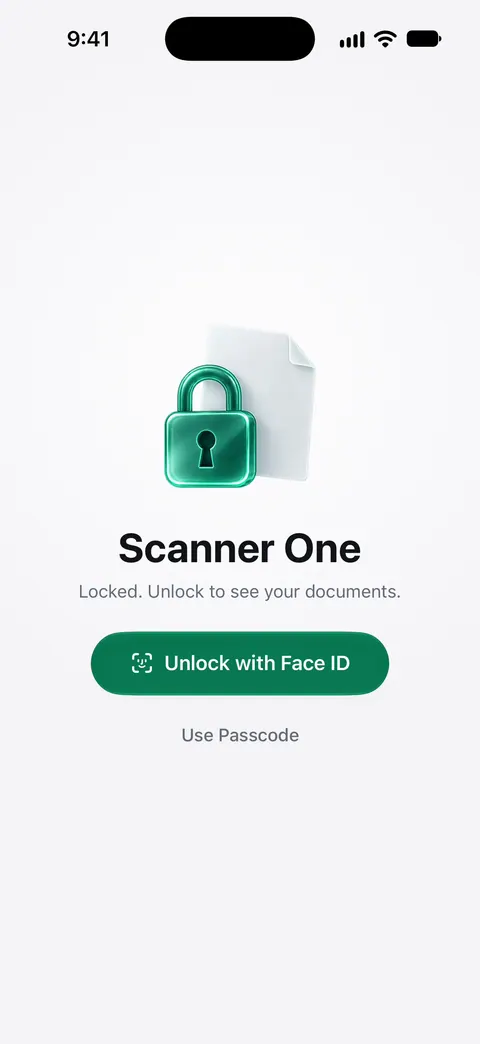
Documents stay on your iPhone unless you share them or turn on iCloud Sync. You can lock the app with Face ID. Scanner One needs no account and does no tracking. Cloud AI is off until you switch it on, and page images are a separate permission. Search looks inside the text of every document and shows the matching line and page. Listen reads any document aloud.
Dates from your own papers. Needs You gathers bills due, return windows and IDs about to expire on Home, from your own papers.
What to know first:
- Free accounts get smart filing for 10 documents a month. On a free account, pages you share, print or export carry a small “Scanned with Scanner One” label at the bottom right. Pro removes it.
- Pro removes every limit. Scanner One Pro costs $29.99 a year in the US, with a one-week free trial.
Scanner One makes no HIPAA compliance claim, and it is not a tool for patient records at work: use your employer’s approved systems for those. It fits your own licenses and certificates, and a caregiver’s family papers. If you only need a couple of cards and a medication list, Notes with a locked note is enough.
Questions and answers
Can a nurse scan patient forms with a personal iPhone?
Only if the employer’s policy allows it and names the app. Patient information handled by a covered provider is protected health information, and the employer decides which devices and systems may hold it. When in doubt, use the facility’s own scanner or system.
Is a scanner app HIPAA compliant?
An app by itself can’t make you compliant. HIPAA duties fall on covered entities and their business associates, which decide which tools fit their safeguards and sign agreements with vendors. Ask your compliance or IT team which apps are approved.
Does HIPAA stop me from scanning my mother’s medical papers?
HIPAA applies to covered entities such as providers and health plans, and their business associates. Keeping copies of a relative’s papers at home, with their permission, is a family matter. Keep them private all the same, and lock them on the phone.
What should a caregiver keep on their phone?
A copy of the insurance and Medicare cards, the current medication and allergy list, recent visit summaries, the doctors' contact details, and any health care power of attorney or advance directive. Keep the originals somewhere safe at home.
Sources
What this page says about Scanner One was checked against the app on .
- CDC, Health Insurance Portability and Accountability Act of 1996 (HIPAA) — covered entities (providers that transmit health information electronically, health plans, clearinghouses), business associates, protected health information and the Security Rule for electronic PHI; dated 2024-09-10
- Apple Support, Scan documents on your iPhone or iPad (article 108963) — Scan Documents in Notes and Files; page dated 2026-02-13
- Apple iPhone User Guide, Lock your notes on iPhone — locking notes with the device passcode or a custom password; notes with PDF or file attachments, tags or iCloud sharing can’t be locked; read 2026-11-13
- Apple iPhone User Guide, Lock or hide an app on iPhone — Require Face ID for an app; a locked app’s content stays out of search, notifications and Siri suggestions; built-in apps can’t be hidden; read 2026-11-13
- FTC, Protecting your personal information: Which documents to keep and which to shred — keep older health records indefinitely, shred old prescription information; dated 2025-06-10
- Scanner One on the App Store — the app’s own listing: documents on the device, Face ID lock
Get Scanner One
Scanner One is free, with generous limits: scanning, clean PDFs and text search never stop.

Scanner OneScan, sign and ask anything
Scanner One is free, with generous limits: scanning, clean PDFs and text search never stop.