
Guide
Keep your medical records on your iPhone
If your doctor or hospital supports it, connect it in the Health app: tap Summary, your picture or initials, Health Records, then Get Started, and sign in to your patient portal. Records such as allergies, medications, labs and vaccinations then download automatically. For paper results, letters and bills, scan them to PDF and keep them in one locked place. You have the right to get a copy of your records from your providers and health plans, on paper or electronically.

Download records into the Health app
The Health app can pull records straight from supporting hospitals and clinics: allergies, conditions, medications, lab results, vaccinations and more. It’s not available in all countries or regions. Apple’s steps:
- Open Health and tap Summary, then your picture or initials.
- Tap Health Records, then Get Started (or Add Account if you’ve set one up before).
- Pick your organization from the list of nearby ones, or search by name, city or state.
- Tap Connect Account to go to the sign-in screen of your patient portal.
- Sign in with your patient portal user name and password and follow the steps.
From then on, new records arrive in Health automatically as they become available. Apple notes your organization may not be listed yet, and that organizations are added frequently.
View, pin and share your records
To find a record, open Health, tap Browse, and either search (for “blood pressure”, say) or scroll to Health Records and tap a category such as Allergies or Lab Results. To keep an important result at the top of Lab Results, swipe left on it and tap the Pin button.
Third-party apps can ask to read your health records. Apple’s advice: be sure you trust the app before you grant access. You choose which categories it gets, and whether it gets future records or only current ones. To stop, turn off its permission to read data from Health.
Ask for the records Health can’t download
Not every provider connects to the Health app, and some records (older charts, imaging reports, letters) never will. You have a right to them. HealthIT.gov, from the federal health IT office, explains that the HIPAA Privacy Rule gives you the right to see and get a copy of your health record from health plans and most providers, including doctors’ offices, clinics, hospitals, pharmacies, labs and nursing homes. Your provider must give you an electronic or paper copy, or other media such as x-ray images. That applies even if you haven’t paid your bills.
Ask through the patient portal or the records office, and ask for an electronic copy (a PDF) so you don’t have to scan it.
Scan the paper ones
For everything that arrives on paper, a scan keeps it with the rest. Worth keeping:
- Test and lab results, and imaging reports
- Hospital discharge summaries and after-visit summaries
- Vaccination records, including children’s
- Prescriptions and medication lists
- Insurance cards, front and back
- Explanations of benefits and medical bills, especially any you’re disputing
- Letters from specialists and referrals
Name each scan with the date of service and the provider (“2026-09-22 Dr Ruiz lab results”) so they line up in order. The guide on how long to keep medical bills and records covers what to keep and for how long.
Keep them private
Medical papers are among the most sensitive things on your phone. A few settings protect them:
- A passcode and Face ID on the iPhone. Apple says Health data, apart from your Medical ID, is encrypted when the iPhone is locked.
- A lock on the app that holds your scans. Touch and hold the app’s icon and tap Require Face ID. Apple says a locked app’s content won’t appear in search, notifications or Siri suggestions.
- Care with health apps. The FTC explains that HIPAA doesn’t apply to health information held by anyone who isn’t a covered entity (such as your doctor or health plan) or its business associate. Once records are in a consumer app, the app’s own privacy practices are what protect them.
- Care with AI chatbots. Don’t upload test results or medical records to a general chatbot. See is it safe to upload documents to AI.
Share with someone who cares for you
If a family member helps manage your health, the Health app can share chosen data with them. Apple’s steps: open Health, tap Sharing, then Share with Someone, pick the person from your contacts, and choose topics with See Suggested Topics or Set Up Manually. They need to be in your contacts. To review or stop sharing, tap Sharing, then their name, then View Shared Data or Stop Sharing. Apple notes that removing someone from Contacts doesn’t stop the sharing. For scanned papers, share a folder instead, and only the papers they need.
Set up Medical ID for emergencies
Medical ID puts your allergies, conditions and emergency contacts where first responders can see them. Apple’s steps: open Health, tap your account, tap Medical ID, then Get Started. Emergency contacts saved there can be notified with your location after you make an emergency call.
Where Scanner One helps, and where it doesn’t
For records your provider sends to the Health app, Health is the right home: it’s built for them and encrypted when your iPhone is locked.
For the paper side, scans of results, letters and bills, here is how Scanner One treats them, from its own listing. Point your camera at any piece of paper. Scanner One finds the edges, straightens the page, cleans it up and saves a real PDF.
- Documents stay on your iPhone unless you share them or turn on iCloud Sync.
- You can lock the app with Face ID.
- Scanner One needs no account and does no tracking.
- Scanner One’s privacy manifest declares no tracking.
- Cloud AI is off until you switch it on, and page images are a separate permission.
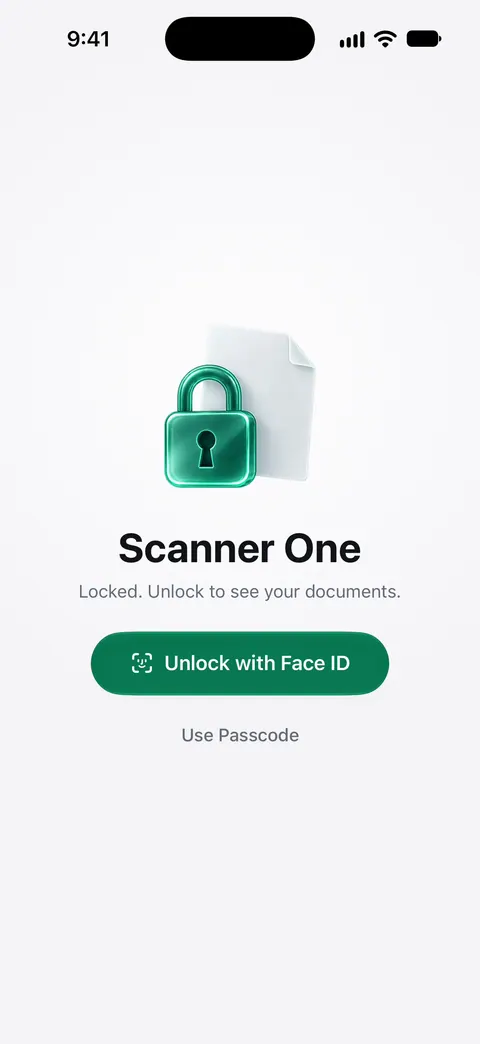
What it isn’t: a medical record system, or a replacement for the records your provider sends to Health. And as with other apps you choose yourself, HIPAA’s rules don’t apply to it; the privacy points above are what protect your scans. For a medical bill you don’t understand, the situation guide lists what to gather, and the privacy feature page has the details.
Questions and answers
Is the Health app secure for medical records?
Apple says that when your iPhone is locked with Face ID, Touch ID or a passcode, all the health data in Health, other than your Medical ID, is encrypted. Setting a passcode is what turns that protection on.
My doctor isn’t in the Health app’s list. What can I do?
Apple notes that not every organization appears and that organizations are added often. Meanwhile, request your records from the provider’s patient portal or records office, and save or scan them as PDFs.
Does HIPAA protect records I keep in an app?
Generally not. The FTC explains that HIPAA doesn’t apply to health information held by anyone who isn’t a covered entity or business associate, which is true of most consumer apps. Choose apps whose privacy practices you trust.
Can I get my records if I owe the hospital money?
Yes. HealthIT.gov says you’re entitled to see and get your health record even if you haven’t paid your health care bills.
Sources
What this page says about Scanner One was checked against the app on .
- Apple iPhone User Guide, Download health records on iPhone — connecting a healthcare provider in Health, what downloads, and encryption of Health data when iPhone is locked; iOS 27 guide, undated, read 2026-11-13
- Apple iPhone User Guide, View health records in Health on iPhone — viewing, pinning lab results, sharing records with apps and removing an organization; iOS 27 guide, undated, read 2026-11-13
- Apple iPhone User Guide, Share your data in Health on iPhone — sharing Health data with someone, reviewing it and stopping; iOS 27 guide, undated, read 2026-11-13
- ASTP/ONC HealthIT.gov, Get It, Check It, Use It — the HIPAA right to see and get a copy of your health record, in electronic or paper form, even with unpaid bills; last updated 2026-01-20
- FTC, Mobile Health Apps Interactive Tool — HIPAA doesn’t apply to health information held by anyone who isn’t a covered entity or business associate; November 2024
- Apple iPhone User Guide, Share features with your family — setting up Medical ID and emergency contacts; iOS 27 guide, undated, read 2026-11-13
- Apple iPhone User Guide, Lock or hide an app on iPhone — requiring Face ID to open an app; iOS 27 guide, undated, read 2026-11-13
- Scanner One on the App Store — the app’s own listing: privacy and app lock
Get Scanner One
Scanner One is free, with generous limits: scanning, clean PDFs and text search never stop.

Scanner OneScan, sign and ask anything
Scanner One is free, with generous limits: scanning, clean PDFs and text search never stop.