
Guide
What to check in a contract before you sign it
Read the whole contract before you sign, including every page it refers to. Check who the parties are, exactly what each side must do, the price and every fee, the dates, how it renews and how you can cancel, and what happens if something goes wrong. Make sure no space is left blank and every spoken promise is written in. Keep a copy of what you sign. For a large or unusual contract, ask a lawyer first.

This page is general information, not legal advice. Contract law differs by state and by the kind of contract. For anything large, unusual or that you don’t fully understand, such as a home purchase, a business deal or a contract with a lot of money at stake, ask a lawyer or a legal aid office before you sign.
Before you start reading
Three things make the reading go well:
- Get the whole document. Every page, every schedule, every attachment, and every document the contract refers to, such as terms on a website or a price list. You are agreeing to those too.
- Get it in a language you read. For sales covered by the Cooling-Off Rule, the FTC says the contract or receipt must be in the same language used in the sales presentation. Whatever the rule, don’t sign what you can’t read.
- Get time. Ask for the contract a day or two before you sign. Pressure to sign right now is a warning sign in itself.
The checklist
Go through the contract with these questions. Mark the page where each answer is.
| Check | The question to answer |
|---|---|
| Parties | Are the names, addresses and, for a contractor, the license number right? |
| What each side does | Exactly what is being sold, done or delivered, and what you must do |
| Price | The total, what it includes, and what it doesn’t |
| Fees and penalties | Late fees, cancellation fees, service fees, interest |
| Payment schedule | When each payment is due, and what triggers it |
| Dates | Start, completion or delivery, and what happens if they slip |
| Length and renewal | How long it lasts, and whether it renews on its own |
| Ending it | How you can cancel, how much notice, and at what cost |
| Problems | Warranties, what happens if the work is bad, and how disputes are settled |
| Blanks | Every blank space filled in or crossed out |
| Promises | Everything you were told out loud, written in |
| Signatures | Who signs, and whether pages need initials |
The FTC’s home improvement advice gives a good model of what a clear contract includes: the contractor’s name, address, phone number and license number, an estimated start and completion date, and any promises made during conversations or calls, such as the scope of the work and the cost of labor and materials.
Red flags
Slow down, and ask questions, when you see any of these:
- Blank spaces. The FTC’s advice is not to sign a document that has blank spaces, and to make sure all of them are filled in.
- Promises that aren’t in the contract. The FTC advises getting spoken promises in writing, since a business may later refuse to honor a promise that isn’t.
- Payment in full up front. For home improvement, the FTC says not to pay the full amount for the project up front.
- No copy for you. You should leave with a copy of exactly what you signed.
- Pressure. “This price is only good today,” or a refusal to let you take it home.
- Terms you don’t understand. Ask what each one means, in writing, before you sign.
Your right to cancel some contracts
Some contracts come with a short window to change your mind. The FTC’s Cooling-Off Rule gives you until midnight of the third business day after the sale to cancel certain sales made at your home, workplace or dorm, or at a seller’s temporary location such as a hotel, convention center or fairground. You don’t need a reason. The seller must tell you about this right and give you two cancellation forms and a dated copy of your contract or receipt. Some sales are excluded, including online, mail and phone sales, real estate, insurance and securities, and some low-cost purchases.
To cancel, sign and date one of the forms and send it to the address given, by certified mail with a return receipt, and keep a copy. The FTC’s home improvement page adds that for contracts signed in your home or away from the seller’s permanent place of business, you should look for a written statement of your right to cancel.
When the law builds in time to review
For some contracts, the review time is required. For a mortgage, the CFPB explains that the lender must give you the Closing Disclosure at least three business days before you close, so you can compare the final terms and costs with the Loan Estimate you received earlier and ask questions. Use those days to check every number.
After you sign
- Keep a copy of the signed contract, every attachment, and any change you agreed later. The FTC suggests keeping notes and copies of letters and documents for your files.
- Put the dates in your calendar: payment dates, the end date, the last day to cancel or give notice before it renews.
- Make every change in writing. If the contract changes later, the change belongs on paper, signed or initialed by both sides.
- Check the countersigned copy. When the other side signs and sends it back, check it is the version you agreed. How to see what changed in a document someone sent shows how.
When to get help
For a home, a business, a large loan, an employment agreement with restrictions, or anything that worries you, a lawyer’s review is worth the cost. If cost is the issue, look for legal aid in your area. If you think a business has treated you unfairly, the FTC’s home improvement page points to your state attorney general or local consumer protection office.
Where Scanner One helps, and where it doesn’t
Scanner One is not a lawyer. It cannot tell you whether a contract is fair, legal or right for you, and it won’t catch everything a careful reader would.
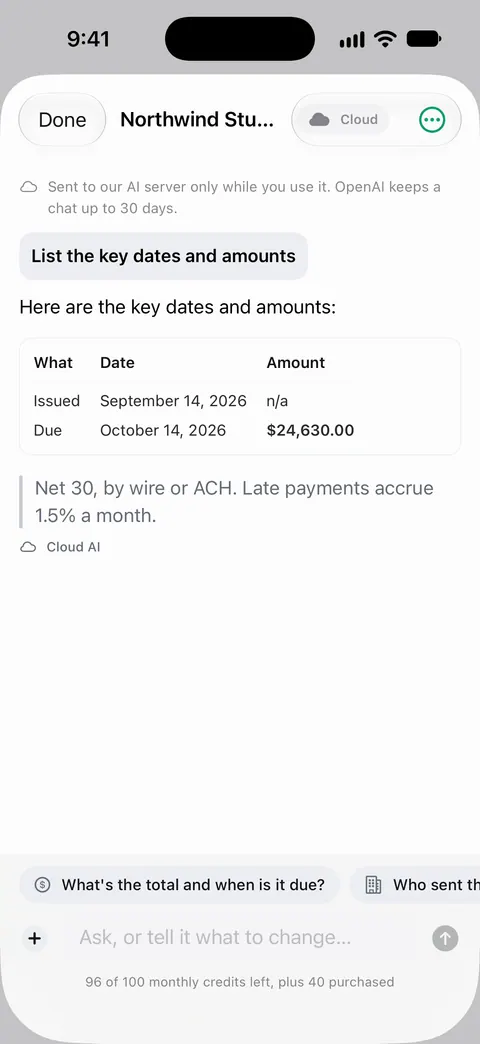
It can make a long contract easier to read and question. Point your camera at any piece of paper. Scanner One finds the edges, straightens the page, cleans it up and saves a real PDF. A scan can have many pages, and you can reorder them. Search looks inside the text of every document and shows the matching line and page. So “cancel”, “renew” or “fee” is a search away. Ask your documents anything. When does the lease end? What did I spend at the shop? The answer comes back with the page it came from. On a free account you can ask 3 questions a day. Check every answer on the page it came from; getting the gist of a long contract explains what to check yourself.
What changed compares the new version of a lease or policy with the one you signed.
You can sign and annotate documents. Free accounts can sign and mark up 3 documents a month. How to sign a PDF on iPhone covers the built-in ways to sign as well. If you send a signed contract from a free account, On a free account, pages you share, print or export carry a small “Scanned with Scanner One” label at the bottom right. Pro removes it.
Documents stay on your iPhone unless you share them or turn on iCloud Sync. Cloud AI is off until you switch it on, and page images are a separate permission.
For a short contract, this checklist and a careful read need no app at all.
Questions and answers
Can I take a contract home before signing it?
You can always ask, and many businesses will agree. If someone insists you sign on the spot, that is a reason to slow down. For a mortgage, the law builds in time: the lender must give you the Closing Disclosure at least three business days before closing.
Can I cancel a contract after I sign it?
Sometimes. The FTC’s Cooling-Off Rule lets you cancel certain sales made at your home, workplace or a temporary location until midnight of the third business day, with some exclusions. Other contracts depend on their own terms and your state’s law. Read the cancellation section before you sign.
What should I do if there are blank spaces in a contract?
Don’t sign it. The FTC’s advice is not to sign a document with blank spaces, and to make sure all of them are filled in. Fill them in, or draw a line through them, before anyone signs.
Is a verbal promise part of the contract?
Don’t rely on it. The FTC advises getting spoken promises in writing, because a business may later refuse to honor a promise that isn’t. Ask for it to be written into the contract before you sign.
Sources
What this page says about Scanner One was checked against the app on .
- FTC, How To Avoid a Home Improvement Scam — what a written contract should include, writing in promises made in conversation, not signing a document with blank spaces, the right to cancel some contracts within three business days, not paying everything up front, keeping copies; dated July 2022
- FTC, Buyer’s Remorse: The FTC’s Cooling-Off Rule May Help — cancelling certain sales made at home, work or temporary locations until midnight of the third business day, the cancellation forms and dated copy the seller must give, and cancelling by certified mail; dated September 2025
- FTC, Warranties — get spoken promises in writing; read the warranty before you buy; dated July 2023
- CFPB, What is a Closing Disclosure? — the three business days to compare final mortgage terms with the Loan Estimate before closing; read 2026-11-13
- Scanner One on the App Store — the app’s own listing
Get Scanner One
Scanner One is free, with generous limits: scanning, clean PDFs and text search never stop.

Scanner OneScan, sign and ask anything
Scanner One is free, with generous limits: scanning, clean PDFs and text search never stop.