
Comparison
Apps to scan old photos on iPhone, honestly compared
For a few prints, the Camera and the Photos app’s crop and straighten tools are enough. For glare on glossy prints, PhotoScan by Google Photos is free and builds glare removal into its capture flow, though its last update was in 2022. For whole albums, slides and negatives, Photomyne scans several photos in one shot and restores faded colors, with paid plans. Scanner One, our app, is a document scanner: fine for a photo now and then, but not our pick for an album.

Scanner One is our app. It is a document scanner, and for old photos it is not our top pick. Facts about other apps come from their own App Store pages, read on November 13, 2026.
This page helps you choose a tool for old prints. For the step-by-step method, from cleaning a print to naming the files, see our guide to scanning old photos with your iPhone.
What makes old photos hard to scan
Old photos are not documents. Three problems come up again and again:
- Glare. Glossy prints throw back the light from a window or a ceiling lamp, and a bright stripe ruins the copy.
- Curl and albums. Prints curl, and photos under plastic album sleeves add a second layer of reflections.
- Color. Faded prints have a color cast. A document scanner’s cleanup filters, which make paper white and text black, can flatten a photo’s tones.
A good photo app handles these. A document scanner is built for the opposite job.
The free way: Camera and Photos
For a handful of prints, you don’t need an app:
- Lay the print flat in soft daylight, near a window but out of direct sun. Turn off the room light overhead to cut glare.
- Hold your iPhone parallel to the print, fill the frame and take the photo with the Camera.
- In Photos, tap the photo, tap the edit button, then tap the crop button. Drag the corners to the edge of the print, and use the buttons below the frame to straighten or tilt it vertically or horizontally, as Apple’s guide describes. Tap Done.
This keeps the photo as a normal picture in your library, in full color. The weak spots are glare, which you must avoid by hand, and time: one print at a time adds up over an album. Our guide to scanning glossy paper without glare has more lighting tricks.
Photo scanning apps compared
Checked on November 13, 2026.
| App | Best at | Several prints at once | Glare | Price, as listed | Used to track you | Needs |
|---|---|---|---|---|---|---|
| Camera and Photos (Apple) | A few prints | No | Avoid it by hand | Built in | Part of iOS | Already installed |
| PhotoScan by Google Photos | Glossy prints | Not stated | Glare-free capture flow | Free, no in-app purchases | None; Location, Identifiers and more linked to you | iOS 15.0, iPhone only |
| Photomyne | Whole albums, slides, negatives | Yes | Not stated | Plans from $6.99 to $59.99 a year; credits for AI tools | Identifiers | iOS 17.6 |
| Scanner One (ours) | Documents | No | Not stated | Pro comes monthly, yearly with a free week, or once for life. | No account, no tracking | iOS 17 or later |
Each app, honestly
PhotoScan by Google Photos: free, built for glare
PhotoScan’s App Store page promises glare-free scans with an easy step-by-step capture flow, automatic cropping based on edge detection, perspective correction and smart rotation, and backup to Google Photos if you want it. It’s free with no in-app purchases. Two cautions: its latest version, 1.7, is from November 21, 2022, and its privacy label lists Location, User Content, Identifiers, Usage Data, Diagnostics and Other Data as linked to you.
Pick PhotoScan for glossy prints, a few at a time, at no cost.
Photomyne: for the whole shoebox
Photomyne’s description says it scans multiple printed photos in a single shot, handles slides, negatives, scrapbook pages and kids’ artwork, and offers restoration: sharpening faces, colorizing black and white photos and restoring faded colors, with advanced AI tools using credits. The listing shows a free trial of the full membership and plans from $6.99 to $59.99 a year, plus a $3.99 single session of saves to the camera roll. The label lists Identifiers as used to track you.
Pick Photomyne if you have albums to get through, or slides and negatives.
Scanner One: a document scanner, used for a photo
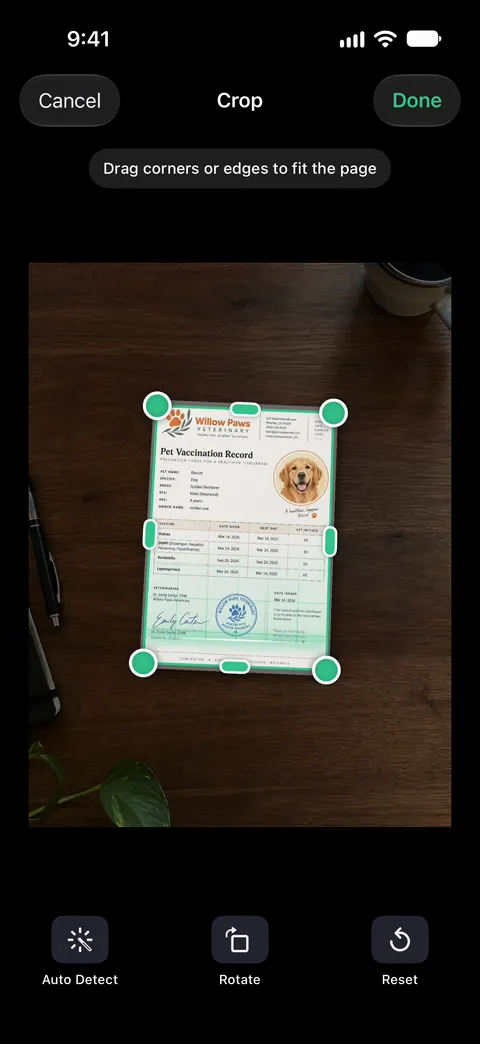
Scanner One finds the edges of the page automatically and corrects the perspective. Scans come with Auto Clean, Color, Grayscale and Receipt filters. The Color filter keeps a photo in color, and Share & Export saves a document as a PDF, Word, Excel, PowerPoint, JPG, PNG, a long image, plain text, Markdown, Rich Text, a web page or CSV. That makes it workable for a stray photo tucked into a folder of papers. It has no glare removal claim, no album mode and no restoration, so for a box of prints the two apps above do the job better.
When to use a flatbed scanner instead
If you plan to print enlargements, a flatbed scanner still wins. The Library of Congress suggests 300 dpi for 4x6 and 5x7 prints and 400 or 600 dpi to enlarge them to 8x10 or more, and recommends medium-quality JPEG for everyday copies and high quality if you want to reprint. A flatbed presses the print flat under even light, so there is no glare to fight. We compare the two methods in phone scanner vs flatbed scanner.
Whatever you use, keep the prints. The National Archives advises keeping originals after digitizing, handling them carefully, and backing up the files three times, on two kinds of storage, with one copy kept away from home. Family historians will find more in scanning genealogy records.
Where Scanner One helps, and where it doesn’t
Where it helps: the papers that travel with old photos, such as letters, certificates and the notes on the back of a print. A scan can have many pages, and you can reorder them. Text recognition runs on every page for everyone, free or Pro. Search looks inside the text of every document and shows the matching line and page. So a typed letter or a certificate becomes searchable alongside your other documents.
Where it doesn’t: it is not a photo restoration app, and it doesn’t claim to remove glare or scan several prints in one shot. For albums, use Photomyne; for a few glossy prints, PhotoScan or the Camera. On a free account, pages you share, print or export carry a small “Scanned with Scanner One” label at the bottom right. Pro removes it. So exported photos from a free account carry that label, another reason to use the Camera or a photo app for prints you plan to share. Scanner One runs on iPhone and iPad.
Questions and answers
Is PhotoScan by Google still available?
Yes. On November 13, 2026, the US App Store listed PhotoScan by Google Photos as free, with version 1.7 from November 21, 2022 as its latest. It needs iOS 15.0 or later and is marked Only for iPhone.
Is Photomyne free?
It’s free to download with a free trial of the full membership. The US App Store lists Photomyne account plans from $6.99 to $59.99 a year, a 3-day unlock at $2.99 and a single session of saves to the camera roll at $3.99. Advanced AI restoration uses AI credits.
What resolution should I scan old photos at?
The Library of Congress suggests 300 dpi for 4x6 and 5x7 prints, and 400 or 600 dpi if you want to enlarge them to 8x10 or more. A phone photo of a small print usually holds plenty of pixels for 300 dpi; enlargements are where a flatbed earns its place.
Should I throw away the prints after scanning?
No. The National Archives advises keeping originals after you digitize them, because digital files have their own risks and can easily be lost. Keep at least three copies of the scans, on two kinds of storage, one away from home.
Sources
What this page says about Scanner One was checked against the app on .
- Apple iPhone User Guide, Crop, rotate, flip, or straighten photos and videos — the crop and straighten steps in Photos; guide for iOS 27, read 2026-11-13
- PhotoScan by Google Photos on the App Store — free, glare-free capture flow, edge detection, version 1.7 of November 21, 2022, iOS 15.0, privacy label; read 2026-11-13
- Photo Scan App by Photomyne on the App Store — several photos in one shot, slides and negatives, restoration, in-app purchases, privacy label, iOS 17.6; read 2026-11-13
- Library of Congress, Scanning Your Personal Collections (Personal Digital Archiving series) — 300 dpi for 4x6 and 5x7 photos, 400 or 600 dpi to enlarge, JPEG quality advice; undated handout
- National Archives, Digitizing Family Papers and Photographs — keep the originals, handle them carefully, 3-2-1 backups; last reviewed May 26, 2021
- Scanner One on the App Store — the app’s own listing
Get Scanner One
Scanner One is free, with generous limits: scanning, clean PDFs and text search never stop.

Scanner OneScan, sign and ask anything
Scanner One is free, with generous limits: scanning, clean PDFs and text search never stop.