
Comparison
Scanner One vs Preview on iPhone
Preview is Apple’s free PDF app for iPhone and iPad, and it needs iOS 26 or later. Open Preview, tap Scan Documents, and it captures each page into a PDF. It can also fill and sign forms, lock a PDF with a password, add searchable text with Embed Text on export, and shrink a file. For one document at a time that is often all you need. Scanner One adds a searchable library that files every scan for you, Office exports and ID cards on one page, and runs on iOS 17 or later.

Scanner One is our app. Preview is free from Apple and already capable; the steps and features below come from Apple’s own pages, read on November 13, 2026.
What Preview on iPhone does
Preview arrived on iPhone and iPad with iOS 26. Its App Store page says it requires iOS 26.0 or later, and the current version, 1.9, came out on October 19, 2026. It finds the PDFs and images you keep in the Files app, and its description says you can use the camera to scan multiple pages of a document and save it as a PDF.
Apple’s iPhone User Guide lists more than scanning:
- Fill and sign. Tap the Form Filling button, tap a field, and type or pick an AutoFill suggestion. The Add button places a signature or a text box.
- Lock. Lock a PDF with a password from the Actions menu.
- Searchable text. When you export a PDF, the Embed Text option runs OCR on the images and makes the PDF searchable.
- Smaller files. Optimize Images for Screen, also on export, reduces image resolution to make a smaller file.
- Pages. Insert a blank page, insert a PDF or image from a file, scan new pages into the PDF, and delete, rotate, move or crop pages.
- Find text. Search inside an open PDF, with Whole Words and Match Case options.
That is a real PDF toolkit, and it is free.
How to scan with Preview
These are the steps from Apple’s iPhone User Guide.
- Go to the Preview app on your iPhone.
- Tap Scan Documents.
- Position the iPhone camera so the document appears on the screen.
- iPhone captures the page automatically. To capture it yourself, tap Auto (it changes to Manual), then tap the Shutter button.
- Repeat for each page.
- Tap the thumbnails to crop, rotate or adjust the coloring.
- Tap the Done button when you’re finished.
To make the scan searchable, export it as a PDF with Embed Text turned on. Our guide to making a scanned PDF searchable covers this and the other free ways.
Preview and Scanner One side by side
Checked on November 13, 2026, against Apple’s pages.
| Preview | Scanner One | |
|---|---|---|
| Price | Free Apple app | Free download. Pro at $4.99 a month, $29.99 a year or $59.99 once |
| Needs | iOS 26.0 or later | iOS 17 or later |
| Searchable text | Embed Text on export | 29 languages, read on every page as you save |
| Search | Inside the open PDF | Search looks inside the text of every document and shows the matching line and page. |
| Forms and signing | Form Filling with AutoFill; signatures | Fill Form lets you type into the fields of a PDF form. Signing free: 3 documents a month |
| Password and compress | Lock; Optimize Images for Screen | In the PDF tools, free: 3 a week |
| Office files | Exports HEIC, JPEG, PDF, PNG and TIFF | Share & Export saves a document as a PDF, Word, Excel, PowerPoint, JPG, PNG, a long image, plain text, Markdown, Rich Text, a web page or CSV. |
| Mark on the page | None mentioned in Apple’s guide | Free: a small “Scanned with Scanner One” label on shared pages |
| Privacy label | Not linked to you: Usage Data | No account, no tracking |
Where Scanner One adds something
Apple’s guide describes Preview working on the PDF you have open. Scanner One is built for the pile of documents you keep.
- It files every scan. Then it reads the text, names the document, tags it and puts it in the right folder. Free accounts get smart filing for 10 documents a month.
- It searches everything at once. Search looks inside the text of every document and shows the matching line and page.
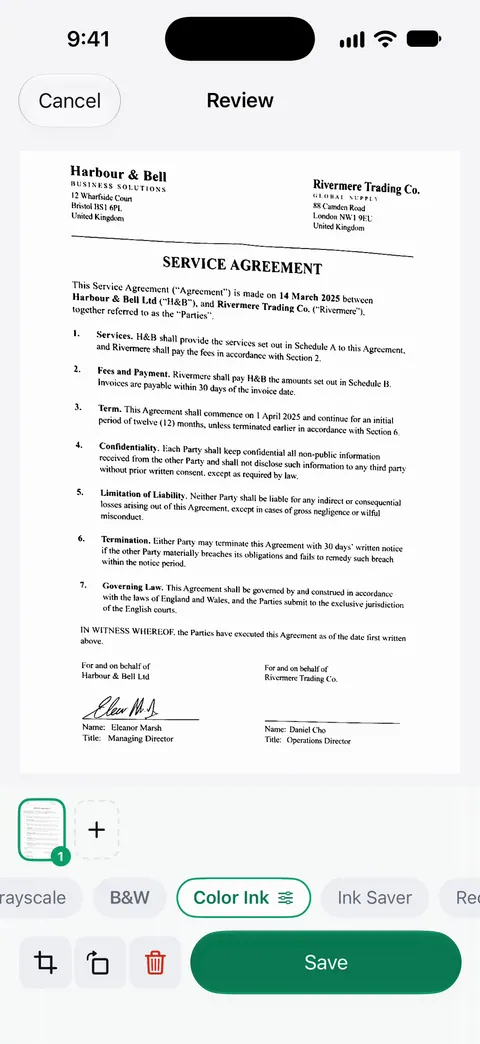
- It cleans the page as you scan. Scans come with Auto Clean, Color, Grayscale and Receipt filters. Book spreads are split into two pages and curved lines are flattened. ID cards and passports are scanned with both sides on one printable page.
- It answers questions. Ask your documents anything. When does the lease end? What did I spend at the shop? The answer comes back with the page it came from.
- It exports to Office. Scanner One exports to Word, keeping headings, lists and tables, and to Excel and CSV.
It also runs on older systems. Preview needs iOS 26; Scanner One needs iOS 17 or later.
Pick Preview if
- Your iPhone runs iOS 26 or later.
- You scan, sign or fill one document and send it.
- You want to lock or shrink a PDF for free.
Pick Scanner One if
- You keep many documents and want them named, filed and searchable together.
- You need Word, Excel or PowerPoint files, ID cards on one page, or receipts cleaned up.
- Your iPhone can’t run iOS 26.
Where Scanner One helps, and where it doesn’t
Scanner One helps when documents pile up: every page is read as you save it, filed for you, and found by any word. Documents stay on your iPhone unless you share them or turn on iCloud Sync.
Where Preview is as good or better:
- Free, with no caps mentioned. Preview is free, and Apple’s pages mention no usage limits and no mark on the page. Scanner One’s free PDF tools run 3 a week, and On a free account, pages you share, print or export carry a small “Scanned with Scanner One” label at the bottom right. Pro removes it.
- One file, one job. For signing a form someone emailed you, Preview is quick and free; see filling a PDF form on iPhone.
- Platforms. Preview also runs on iPad, like Scanner One. Scanner One runs on iPhone and iPad. Scanner One has no Mac version.
- Cloud AI. Cloud AI is off until you switch it on, and page images are a separate permission. Pro Max, the plan with cloud AI, costs $149.99 a year in the US.
Questions and answers
Does Preview on iPhone make searchable PDFs?
It can. Apple’s guide says that when you export a PDF from Preview, the Embed Text option runs OCR on images and makes the PDF searchable. In Scanner One, Scanner One makes searchable PDFs. Text recognition runs on every page for everyone, free or Pro.
Which iPhones have the Preview app?
Preview’s App Store page says it requires iOS 26.0 or later on iPhone and iPadOS 26.0 or later on iPad. On an older system, use Notes or Files to scan. Scanner One needs iOS 17 or later.
Can Preview combine PDFs?
Apple’s guide says you can insert a PDF or image into an open PDF with Insert from File, scan new pages into it, and delete, rotate, move or crop pages. That covers most simple merges.
Is Preview enough, or do I need a scanner app?
For one document at a time, Preview is often enough. A scanner app helps when you have many documents to keep, name and find later, or need Word and Excel files. Then it reads the text, names the document, tags it and puts it in the right folder.
Sources
What this page says about Scanner One was checked against the app on .
- Preview on the App Store — free Apple app, requires iOS 26.0 or later, what it does, privacy label and version 1.9 of October 19, 2026; read 2026-11-13
- iPhone User Guide, Scan text and documents in Preview on iPhone — the scanning steps; read 2026-11-13 (guide for iOS 27)
- iPhone User Guide, Export or compress PDFs and images in Preview — Embed Text runs OCR on export; Optimize Images for Screen makes a smaller file; read 2026-11-13
- iPhone User Guide, Fill out and sign PDF forms in Preview — Form Filling, AutoFill and signatures; read 2026-11-13
- iPhone User Guide, Lock PDFs in Preview — password-protecting a PDF; read 2026-11-13
- Scanner One on the App Store — the app’s own listing
Get Scanner One
Scanner One is free, with generous limits: scanning, clean PDFs and text search never stop.

Scanner OneScan, sign and ask anything
Scanner One is free, with generous limits: scanning, clean PDFs and text search never stop.