
Feature
Languages: what Scanner One reads, and the app in yours
Scanner One has two language lists. Text recognition runs on the device, in 29 languages. That is what makes scans searchable. Separately, Scanner One is available in 34 languages, including English, Spanish, Portuguese, French, German, Italian, Dutch, Swedish, Danish, Norwegian, Finnish, Polish, Czech, Greek, Ukrainian, Russian, Turkish, Arabic, Hebrew, Hindi, Thai, Vietnamese, Indonesian, Japanese, Korean and Chinese. Text recognition runs on every page for everyone, free or Pro. So the easiest way to check your language is to scan one page and search for a word on it.

Two lists, two jobs
People often mix these up, so here they are side by side:
| What it covers | How many | |
|---|---|---|
| Text recognition | The languages Scanner One can read on a page, so the scan becomes searchable and its text can be copied | 29 languages |
| The app | The language of the app’s own buttons, menus and messages | 34 languages |
Text recognition runs on the device, in 29 languages. Scanner One is available in 34 languages, including English, Spanish, Portuguese, French, German, Italian, Dutch, Swedish, Danish, Norwegian, Finnish, Polish, Czech, Greek, Ukrainian, Russian, Turkish, Arabic, Hebrew, Hindi, Thai, Vietnamese, Indonesian, Japanese, Korean and Chinese.
So someone who uses the app in English can scan and search a letter in another language, and someone who uses the app in Polish reads its buttons in Polish.
Why on-device recognition matters
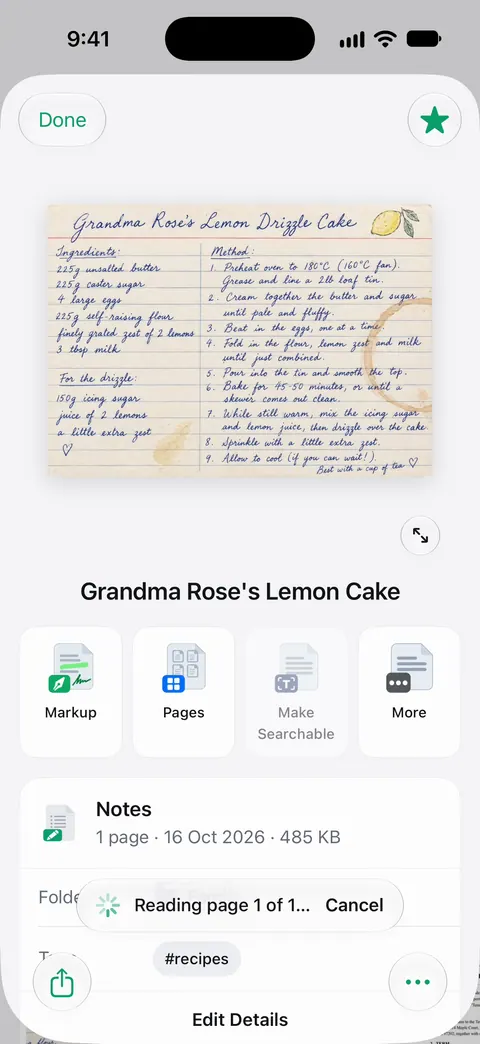
Text recognition runs on the device, in 29 languages. Your pages don’t have to leave your iPhone to become searchable. Documents stay on your iPhone unless you share them or turn on iCloud Sync. Text recognition runs on every page for everyone, free or Pro.
How to check your language
We don’t print the full list of recognition languages here. The quickest honest test takes a minute:
- Scan one page in your language, ideally clear printed text.
- Save it, then search the Library for a word you can see on the page. Search looks inside the text of every document and shows the matching line and page.
- If it is found, the language is read. Try a longer word or one with accents too.
- For a closer look, use Select Area on the page: draw a box and see the text read inside it.
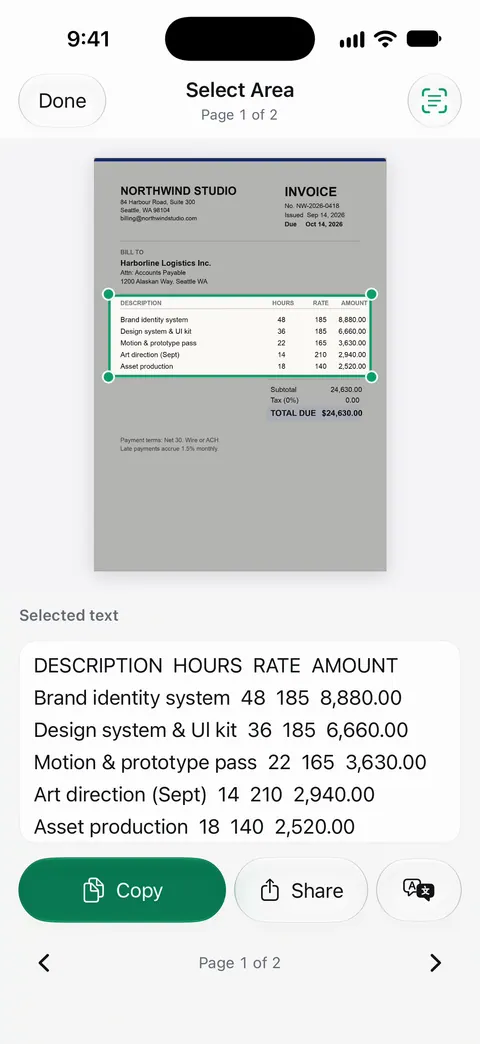
Our guide to text recognition in Arabic, Hebrew, Japanese and other languages goes through what tends to work, script by script, and what to do when yours doesn’t.
When a language reads badly
- Mixed scripts on one page, like a form in two languages, can read better in one than the other. Search for words in each.
- Accents and special letters need a sharp scan. Blur can lose an accent or a dot.
- Vertical text and handwriting are harder for any recognition than horizontal print.
- If your language isn’t read, the scan is still a clean PDF you can keep, send and print. Give it a clear name so you can find it without search. See naming scanned documents.
Translating and listening
Recognizing text is the first step for two other jobs:
- Translate: to understand a letter in a language you don’t read, see translating a document on iPhone.
- Listen: Listen reads any document aloud. See Listen.
If you are moving countries, your papers will arrive in more than one language. Documents to gather before you move abroad is a good start.
Where Scanner One helps, and where it doesn’t
The iPhone reads text through the camera on its own with Live Text, and for copying a line from a sign or a letter it is often enough. Apple notes that Live Text isn’t available in all regions or languages, so it is worth checking yours on Apple’s feature availability page.
Scanner One helps when you want every page you keep to be searchable in its own language, read on the device. Text recognition runs on every page for everyone, free or Pro. Scanner One is free, with generous limits: scanning, clean PDFs and text search never stop. See search inside every document for how searching works.
Questions and answers
Which languages can Scanner One read on a page?
Text recognition runs on the device, in 29 languages. The surest test for your language is one page: scan it, then search for a word you can see on it.
Which languages is the app itself in?
Scanner One is available in 34 languages, including English, Spanish, Portuguese, French, German, Italian, Dutch, Swedish, Danish, Norwegian, Finnish, Polish, Czech, Greek, Ukrainian, Russian, Turkish, Arabic, Hebrew, Hindi, Thai, Vietnamese, Indonesian, Japanese, Korean and Chinese.
Does text recognition send my pages to a server?
Text recognition runs on the device, in 29 languages. Documents stay on your iPhone unless you share them or turn on iCloud Sync.
Can a document in one language be searched in another?
Search matches the words on the page, so search in the page’s own language. To read a document in your language, translate it; our guide to translating a document on iPhone covers the options.
Sources
What this page says about Scanner One was checked against the app on .
- Apple Support, Use Live Text with your iPhone camera (iPhone User Guide, iOS 27) — Live Text isn’t available in all regions or languages; read 2026-11-13
- Scanner One on the App Store — the app’s own listing: on-device text recognition and the languages it reads
Get Scanner One
Scanner One is free, with generous limits: scanning, clean PDFs and text search never stop.

Scanner OneScan, sign and ask anything
Scanner One is free, with generous limits: scanning, clean PDFs and text search never stop.