
Guide
Digitize handwritten recipe cards and family cookbooks
Scan each card in color with Scan Documents in Notes or Files, front and back, so the handwriting and stains survive as they are. Then get the words out: Live Text copies printed and clear handwritten text from a scan or photo, and you retype what it misreads. Keep the image and the text together, one note or file per recipe, in folders by course, and make a second copy somewhere else so the family collection can’t be lost.

A recipe card in a grandparent’s handwriting is two things at once: a recipe and a keepsake. This page keeps both. For lecture notes and journals, the general method is in scanning handwritten notes.
Plan what you want to end up with
Decide this before you scan 200 cards:
- A picture of every card, so the handwriting, the stains and the notes in the margin are kept.
- The recipe as text, so you can search “brisket”, make the type bigger at the stove and print clean copies.
- One place for all of it, organized so anyone in the family can find a recipe.
The simplest structure is one note or one file per recipe, with the card image and the typed text together, in folders by course: Breads, Mains, Desserts, Holidays.
Scan the cards
- Wipe the table, then lay a card on a dark, plain surface in soft daylight. Old cards are often yellowed and a dark background gives a clear edge.
- Start a scan. In Notes, create a note named for the recipe, tap the Attachments button, then Scan Documents. In Files, open the folder for that course, tap the More button, then Scan Documents.
- Turn the flash off: it bleaches pencil and makes grease spots shine.
- Keep it in color. A black-and-white filter makes faded ink or pencil vanish and turns stains into black blots. On iOS 26 and later the filters are on the scanning screen.
- Capture the front, then flip the card and capture the back if anything is written there. Many recipes continue on the back.
- Tap the Done button (in Files, choose the folder and tap Save).
Scanned into Notes, the scan is saved as a PDF inside the note, so the note itself becomes the recipe page. Name it the way the family says it: “Grandma Ruth’s apple cake”, not “Recipe 14”.
Batches go faster
Set up once and work through the box: cards on the left, scanned cards on the right, the phone in one spot. Scan 20 or 30 at a sitting. Write the recipe name on a sticky note if a card has no title.
Turn the handwriting into text
The iPhone reads text in scans and photos with Live Text. How well it reads handwriting depends on the hand.
- Printed and typed recipes (cookbook pages, magazine clippings, typed cards) come out well.
- Clear handwriting often reads correctly, apart from fractions and abbreviations.
- Old cursive, faded pencil and shorthand like “1 c. oleo” are hit and miss.
To copy the text:
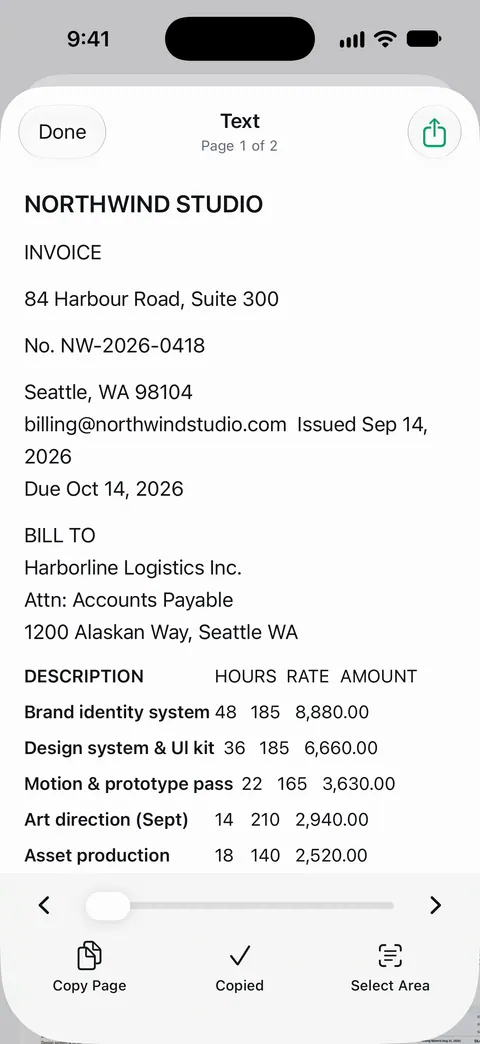
- In Notes, open the note, tap the Attachments button and choose Scan Text (in supported languages), point the camera at the card, select the text and tap Insert. The words go into the note where your cursor is, so put it below the scan first.
- Or open a photo or image of the card in Preview or Photos, touch and hold a word, drag the grab points to select it all, and tap Copy.
- Or point the Camera at the card, tap the Live Text button when the yellow frame appears, and use Select All and Copy.
Then read it against the card and fix it. Check every quantity, temperature and time: “1/4” read as “114” ruins a cake. Apple notes Live Text isn’t available in all regions or languages. More ways to convert writing are in converting handwriting to text on iPhone.
Cookbook pages and clippings
Recipes from a cookbook or a binder of magazine clippings scan like any page, but a thick book curves near the spine and bends the lines.
- Open the book flat and press the pages down at the outer edges with your fingertips, keeping your fingers out of the frame.
- Scan one page at a time, holding the phone parallel to the page.
- If the curve still bends the text, see scanning a book without the curve.
Copy only what you need for your own family’s use. Cookbooks are copyrighted, so a family collection of handwritten recipes is a different thing from sharing scans of a published book.
Make a family cookbook
When the cards are scanned and typed, a family cookbook is a short step away:
- Put the recipe pages in the order you want, by course or by the person who wrote them.
- Combine them into one PDF. See merging PDFs on iPhone, or use our free merge PDF tool in your browser.
- Add a first page with a title and a short note on whose recipes these are.
- Share it with the family, or print and bind it at a copy shop.
To keep the collection safe once it’s built, see backing up scanned documents.
Keep it safe
The Library of Congress’s advice for personal digital collections applies: descriptive names, at least two copies in places as physically far apart as practical, and a check once a year that they still open. A copy in iCloud Drive and one on a relative’s computer is a good start. Keep the original cards too, in a box away from the stove and sunlight.
Where Scanner One helps, and where it doesn’t
Text recognition runs on the device, in 29 languages. Text recognition runs on every page for everyone, free or Pro. Search looks inside the text of every document and shows the matching line and page. So once your cards are scanned, typing “cinnamon” or “Aunt May” finds every recipe that mentions it, with the matching line.
For cookbooks: Book spreads are split into two pages and curved lines are flattened. For the family cookbook: Scanner One exports to Word, keeping headings, lists and tables, and to Excel and CSV. So typed recipes can go into Word for editing and printing. Free accounts can run the PDF tools and the Word, Excel and CSV exports 3 times a week, from one shared allowance. Listen reads any document aloud. That can help at the stove when your hands are busy.
The limits: On a free account, pages you share, print or export carry a small “Scanned with Scanner One” label at the bottom right. Pro removes it. A printed family cookbook from a free account would carry that label; Pro removes it. Text recognition on faded cursive has the same limits as any reader: check every quantity.
When the built-in way is enough: for a dozen cards, Notes with Scan Documents and Scan Text does the whole job well.
Questions and answers
What is the best way to digitize recipe cards?
Scan each card in color so the handwriting is kept as an image, then copy or type the recipe as text next to it. The image keeps the family history; the text lets you search, resize and print.
Can my iPhone read handwritten recipes?
Live Text can often read clear handwriting, and it reads print well. Old cursive, faded pencil and abbreviations are hit and miss, so check every quantity and retype what it gets wrong.
How do I scan recipes from a cookbook?
Open the book flat, press the pages down at the outer edges, and scan each page with Scan Documents. Thick books curve near the spine, which bends lines of text; a scanner that flattens book pages helps.
How do I make a family cookbook from scanned recipes?
Collect each recipe as one page, put them in order, and combine them into one PDF you can share or print. Add a short note from whoever wrote each card; that’s often what family members treasure most.
Should I keep the original recipe cards after scanning?
Yes, if you can. Handwritten cards are family keepsakes, and a scan is a copy. Store them in a box away from the stove and sunlight once they’re scanned.
Sources
What this page says about Scanner One was checked against the app on .
- iPhone User Guide (iOS 27), Scan text and documents in Notes — Scan Documents saves a PDF in the note; Scan Text inserts text in supported languages; read 2026-11-13
- iPhone User Guide (iOS 27), Use Live Text with your iPhone camera — copy, select all, translate and share text in the camera frame; not available in all regions or languages; read 2026-11-13
- iPhone User Guide (iOS 27), Interact with text in an image in Preview — select and copy text in an image in Preview; read 2026-11-13
- Apple Support, Scan documents on your iPhone or iPad (article 108963) — Notes and Files scanning steps, filters on iOS 26; page dated 2026-02-13
- Library of Congress, Personal digital archiving: digital photographs — descriptive names, at least two copies in different places, yearly checks; read 2026-11-13
- Scanner One on the App Store — the app’s own listing
Get Scanner One
Scanner One is free, with generous limits: scanning, clean PDFs and text search never stop.

Scanner OneScan, sign and ask anything
Scanner One is free, with generous limits: scanning, clean PDFs and text search never stop.